Content loading

Dangerous websites detected!

Your latest scan shows your PC may be exposed to malware and web threats.

Your latest scan shows your PC is at risk.

{Product Title}
cleans and boosts your PC – up to 89% faster!

All-in-one protection for your personal info and privacy, so you can enjoy life online. Includes premium antivirus, safe browsing and identity monitoring.Clean up and speed up your PC with just a few clicks for an instant boost to your system's performance.

{ribbon}
{productName}
{finalPrice}*/yr
{retailPrice}
Today pay {Final Price}* for 2 yrs subscription.
Offer details
* First term price for new customers. See offer details below.

Rated #1 by experts. Trusted by millions.

Big Innovation 2026
TOP Product
AV
Editors Choice

How does McAfee optimize your PC?

Free up space on your PC

Declutter your PC by removing junk files, unneeded programs, temporary files, and more.

Improve PC speed

Remove unnecessary background processes or unneeded programs for improved PC performance and a faster start-up.

Browse & stream faster

Free up bandwidth from internet hogging devices or background services for uninterrupted browsing, gaming or streaming.

Instant boost at your fingertips​

Get an extra, on-demand performance boost whenever you need it by temporarily turning off background services.

Easy-to-use antivirus protection you can count on

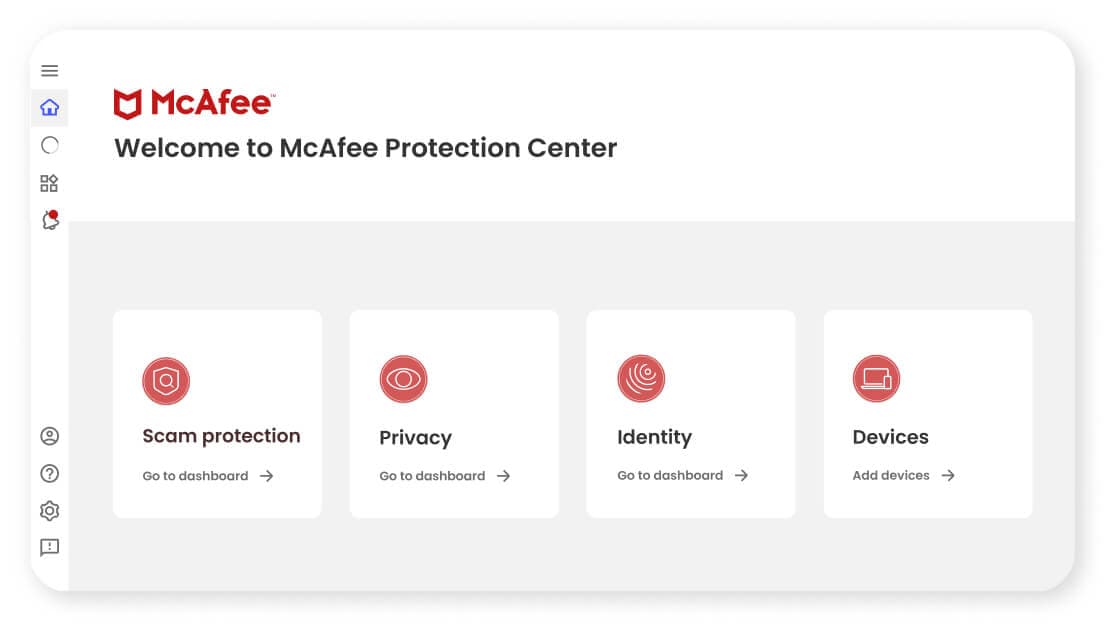
McAfee Protection Center

Trusted solutions for your peace of mind:

  • Scam protection and antivirus for automatic protection against fake messages, deepfake scams, viruses, malware, and more.
  • Advanced privacy features Secure VPN to keep you safe from prying eyes on public Wi-Fi.
  • 24/7 identity monitoring and alerts for up to 60 unique types of personal info on the dark web. We'll even notify you 10 months sooner than similar services, so you can act quickly.

Choose the plan that's right for you

* First term price for new customers. See offer details below.

Compare all features

Security
McAfee's scam protection
Antivirus
Web protection
File shredder
Tracker Remover
Advanced Firewall
Virus Protection Pledge
Identity
Identity Monitoring
Password manager
Identity Theft Coverage
Identity restoration
Lost Wallet Support
$25K Ransomware coverage
Privacy
Personal Data Cleanup
Online Account Cleanup
Social Privacy Manager
Secure VPN

The McAfee Protection Guarantee

30-Day Money-Back Guarantee
for peace of mind with a risk-free option to try any plan
Personalized Protection
to meet the individualized needs of you and your family
24/7 Customer Assistance
with around-the-clock support and troubleshooting
AI-Powered Technology
for real-time protection against new and evolving threats

FAQs

These answers might help.

At its core, McAfee Total Protection provides our award-winning antivirus to defend against viruses, online threats and ransomware with both cloud-based online and offline protection. Beyond your Windows PCs, McAfee Total Protection provides cross-device protection that extends your peace of mind to your Macs and iOS/Android mobile devices, so you can enjoy security at home and on-the-go across all your compatible devices.

McAfee® WebAdvisor web protection enables you to sidestep attacks before they happen with clear warnings of risky websites, links and files, so you can browse, shop and bank with confidence.

Our passwords are the keys to our digital kingdom. Take the guesswork out of creating and remembering complex passwords with our password manager, which can store, auto-fill and even generate unique complex passwords. For added convenience, you can access your shared passwords on your PC and mobile devices with a single account.

Identity Monitoring Service provides a guided identity monitoring experience including dark web monitoring for your email.

McAfee’s Virus Protection Pledge that includes our 100% Guarantee: Viruses removed or your money back, available with auto-renewal.* For more information, see here.

For any questions, free customer support is there when you need it, whether by phone, chat or online.

When you open McAfee Total Protection for the first time after installing, you’ll be greeted by a guided tour that will help you run scans and discover capabilities.
Once McAfee Total Protection is installed, you’ll be able to scan for viruses and quarantine/remove them.

When you are enrolled in auto-renew, 30 days before your subscription is scheduled to expire, the credit card on file for your account is automatically billed, and your subscription is extended for another year.

If your auto-renewal has been disabled, you will receive a message 30 days before expiry to inform you that your subscription is about to expire. You can then choose to renew your subscription for another year or purchase an upgrade.

McAfee Total Protection is compatible with laptops, desktops, tablets and mobile devices. You can find operating system compatibility on our System Requirements page.
See More See Less
If the McAfee Total Protection subscription expires, your software and security will deactivate. Once your antivirus software's subscription has reached its expiration date, you’ll need to decide whether to resubscribe, purchase another solution or install a free solution. Otherwise, your computer will become susceptible to numerous virus threats.
Your score is based on a few things, including setting up your McAfee protection, strengthening your security with our safety recommendations, and ensuring your personal info is safely monitored with Identity Protection. For example, if your information is exposed in a data breach your score may drop, but you can improve it by following our easy-to-follow remediation steps. A perfect score does not mean you’re perfectly safe, but it does mean that you’re doing an excellent job of preventing and managing risks.

Setting up family protection is simple. Just enter an email address and nickname for each person you want to invite.

Your family member will get a message to log in along with steps to set up protection for their computers, phones, web browsing, and passwords. They’ll also have their own identity monitoring to receive alerts when their personal data is found on the dark web.

Two adults can also find their personal info on data broker sites to remove it, and clean up personal info from old online accounts.

Each family member will have their own notifications and log in where they can check their Protection Score along with recommended steps to improve their score and overall online safety.

Why should I consider cleaning up my online accounts?​
When you create an online account, your personal data is added to a company’s database and can remain there even after you delete the account. An internet user can have hundreds of online accounts, many of which they might not know are still active.

The more companies that have your personal info, the higher the chance one of them will get breached, putting you at risk of identity theft. We’ll help you delete these accounts for good so you can take back control of your privacy and even cut down on annoying spam emails.​

​How can McAfee help me clean up my online accounts?
We’ll show you which companies or websites have access to your personal information and provide steps on how to reach out to them to have it deleted. If you prefer to save time and have McAfee send the requests with a single click, the request will be transmitted directly from your email inbox. We help you send these requests, but we do not act as an agent on your behalf.​

How will you see who has my personal data?
With your approval, we’ll scan the subject lines in your inbox to see which companies are emailing you and how much of your info they might have. We will only look at the email sender, subject line, timestamp, and the first few words of the email—we will not scan the full body of the email or any attachments.​

We’ll then help you decide which accounts you want to keep and which you might want to delete to lower the risk of a data breach.​

What’s the difference between “Scans” and “Full-service”?
Online Account Cleanup: Scans helps you find any accounts tied to your email and gives you clear instructions to reclaim your data. Online Account Cleanup: Scans is included in all McAfee+ plans.​

Online Account Cleanup: Full-service not only finds your accounts, but lets the experts send the data deletion requests for you with a single click, saving you up to 10 hours or more* of manual work. Online Account Cleanup: Full-service is only included with McAfee+ Ultimate plans.

What's included in McAfee+ family plans?
Family plans come with identity restoration support, online privacy, and device security for up to 6 family members without having to share logins. Each family member can set up their own identity, privacy, and device protection features in the way that works best for them.

Each family member gets their own, Individual Protection Score, which shows how safe they are, with guidance on how to improve their protection. Plus, parents can help keep their children safe online and limit their risk exposure with parental controls.

Additional features for adults include Personal Data Cleanup, Online Account Cleanup, and more!

How do I share the subscription with my family?
To share your subscription with your family, log in to My Account and click Manage users and devices. From there, you can send an invitation to each family member to join your plan. Each family member will be able to set up their McAfee account and complete the setup for their online protection.

Why does my spouse need online protection if I already have it?
Every one of us has valuable personal data and our online privacy to protect. When you add your spouse as an adult family member on your family account, they will be able to set up and manage their own identity monitoring, Personal Data Cleanup to remove their info from data broker sites, and more.

How many people can I add to my family plan?
You can add up to 5 additional people to your family plan for a total of 2 adults and 4 children (minors).

Why should my children have online protection?
Kids need protection in many of the same ways adults do. They have usernames and email addresses that could be part of a data breach, finding their way to the dark web where criminals can access them.

When online, children (and adults) need to be notified when a website or link is risky and could lead to a phishing site or a malware download. And of course, device protection on their computers and phones can save them from online threats like viruses and hackers.

How will minors be able to manage their online protection?
The account owner can invite members as either an adult or a minor. Minors (and adults) will have access to their own accounts on the McAfee Protection Center. However, minors have access to fewer identity and privacy features than adults.

As a parent, you can choose to set up and manage your child’s account yourself and access the account in the McAfee Protection Center in order to stay on top of your child’s online protection settings, notifications, Protection Score, and recommended steps to improve your child’s online safety.


I have identity theft coverage with my McAfee+ plan. What should I do if I'm a victim of identity theft?
Select McAfee plans include identity theft coverage to cover up to $1,000,000 (USD) of qualifying losses and provide restoration support to help you reclaim your identity.

If you think you may be a victim of identity theft and you have identity theft coverage with your McAfee+ plan, go to protection.mcafee.com and click on Go to dashboard in the gray Identity row and find Identity theft support.

How does Social Privacy Manager work?
Social Privacy Manager is a web extension that lets you manage your privacy settings across social media all from one place.

We do this by scanning your privacy settings on the different social media platforms you’ve connected and recommending changes that can help improve your privacy. You can choose which recommendations to apply and update your settings on each platform right from the extension.

Does McAfee scan all my settings on each social media platform?
We only scan key privacy settings on each platform you select. We organize these settings into four main categories: content visibility, ad preferences, social interactions, and platform experience.

You can review these settings by category on the Summary page.

What are my privacy recommendations based on?
Your privacy recommendations are based on the user type you select. This ensures our recommendations are tailored around how you use social media. For example, if someone prefers to post publicly on social media, we won’t recommend an update that would make their posts private.

You can change your user type at any time from your Social Privacy Manager settings. When you do, we’ll scan your settings on each platform again and update your recommendations based on your new user type.

Can McAfee see my private social media posts and messages?
We don't see any of your private social media posts, messages, or any other private data connected to your accounts, browser history, or device. We also will never post on your behalf or make changes to your profile.

Social Privacy Manager only looks at your privacy settings and can only update your settings when you approve.

FAQs

These answers might help.

Free PC optimizers can offer basic, limited functions. They are helpful in cleaning up your PC and performing minor tweaks to speed your system. However, only free PC optimizers from legitimate and licensed software companies are safe, so exercise caution when downloading a free application online.
Windows has a built-in PC diagnostics tool called Performance Monitor, while Mac and other brands are mostly compatible with third-party tools. You can use built-in or third-party tools to easily check the performance of your PC. If you wish to do this manually, you can check the overall performance of your PC in the following areas: word processing, streaming, web browsing, spreadsheet jockeying, gaming, and videoconferencing.
PCs, on their own, don’t technically slow down with age. The reason for their decline in speed and performance is the introduction of demanding software programs that require more powerful hardware and the accumulation of unused files. Hardware degradation can also be a culprit of slowdowns, depending on how the user maintains the PC.
McAfee PC Optimizer is a standalone application that requires a separate subscription and helps improve the performance of your PC by cleaning up unnecessary files and processes. It's the perfect companion to McAfee Total Protection so that you can both stay safer and be more efficient online.
You can use your McAfee PC Optimizer on up to 10 PCs.
See More See Less
PC Optimizer scans your computer to find files and processes that may be taking up space and resources. Then, we'll help remove those so you can enjoy your life online – without the frustrating lag.
Please visit our Support portal for additional help.