Content loading

Dangerous websites detected!

Your latest scan shows your PC may be exposed to malware and web threats.

Your latest scan shows your PC is at risk.

{Product Title}
cleans and boosts your PC – up to 89% faster!

All-in-one protection for your personal info and privacy, so you can enjoy life online. Includes premium antivirus, safe browsing and identity monitoring.Clean up and speed up your PC with just a few clicks for an instant boost to your system's performance.

{ribbon}
{productName}
{finalPrice}*/yr
{retailPrice}
Today pay {Final Price}* for 2-yrs subscription.
Offer details
* First term price for new customers. See offer details below.

Rated #1 by experts. Trusted by millions.

Big Innovation 2026
TOP Product
AV
Editors Choice

How does McAfee optimize your PC?

Free up space on your PC

Declutter your PC by removing junk files, unneeded programs, temporary files, and more.

Improve PC speed

Remove unnecessary background processes or unneeded programs for improved PC performance and a faster start-up.

Browse & stream faster

Free up bandwidth from internet hogging devices or background services for uninterrupted browsing, gaming or streaming.

Instant boost at your fingertips​

Get an extra, on-demand performance boost whenever you need it by temporarily turning off background services.

Easy-to-use antivirus protection you can count on

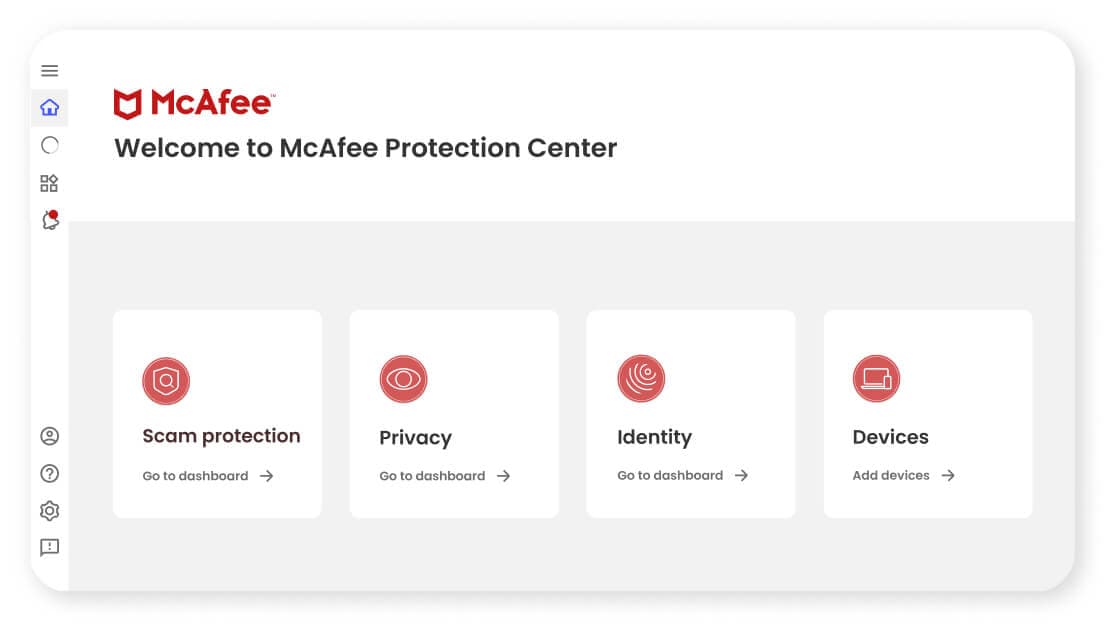
McAfee Protection Center

Trusted solutions for your peace of mind:

  • Scam protection and antivirus for automatic protection against fake messages, deepfake scams, viruses, malware, and more.
  • Advanced privacy features Secure VPN to keep you safe from prying eyes on public Wi-Fi.
  • 24/7 identity monitoring and alerts for up to 60 unique types of personal info on the dark web. We'll even notify you 10 months sooner than similar services, so you can act quickly.

Choose the plan that's right for you

* First term price for new customers. See offer details below.

Compare all features

The McAfee Protection Guarantee

30-Day Money-Back Guarantee
for peace of mind with a risk-free option to try any plan
Personalized Protection
to meet the individualized needs of you and your family
Free Customer Support
with around-the-clock support and troubleshooting

FAQs

These answers might help.

At its core, McAfee Total Protection provides our award-winning antivirus to defend against viruses, online threats and ransomware with both cloud-based online and offline protection. Beyond your Windows PCs, McAfee Total Protection provides cross-device protection that extends your peace of mind to your Macs and iOS/Android mobile devices, so you can enjoy security at home and on-the-go across all your compatible devices.

McAfee® WebAdvisor web protection enables you to sidestep attacks before they happen with clear warnings of risky websites, links and files, so you can browse, shop and bank with confidence.

Our passwords are the keys to our digital kingdom. Take the guesswork out of creating and remembering complex passwords with our password manager, which can store, auto-fill and even generate unique complex passwords. For added convenience, you can access your shared passwords on your PC and mobile devices with a single account.

Identity Protection Service provides a guided identity protection experience including dark web monitoring for your email.

McAfee’s Virus Protection Pledge that includes our 100% Guarantee: Viruses removed or your money back, available with auto-renewal.* For more information, see here.

For any questions, free customer support is there when you need it, whether by phone, chat or online.


When you open McAfee Total Protection for the first time after installing, you’ll be greeted by a guided tour that will help you run scans and discover capabilities.
Once McAfee Total Protection is installed, you’ll be able to scan for viruses and quarantine/remove them.
McAfee Total Protection is available in three packages: for the individual, which covers one device; the multi-device package, which covers five devices; the household package, which covers ten devices. McAfee software is compatible with Windows, Mac OS, iOS, and Android devices.

When you are enrolled in auto-renew, 30 days before your subscription is scheduled to expire, the credit card on file for your account is automatically billed, and your subscription is extended for another year.

If your auto-renewal has been disabled, you will receive a message 30 days before expiry to inform you that your license is about to expire. You can then choose to renew your license for another year or purchase an upgrade.

See More See Less
McAfee Total Protection is compatible with laptops, desktops, tablets and mobile devices. You can find operating system compatibility on our System Requirements page.
If the McAfee Total Protection subscription expires, your software and security will deactivate. Once your antivirus software's subscription has reached its expiration date, you’ll need to decide whether to resubscribe, purchase another solution or install a free solution. Otherwise, your computer will become susceptible to numerous virus threats.
Your score is based on a few things, including setting up your McAfee protection, strengthening your security with our safety recommendations, and ensuring your personal info is safely monitored with Identity Protection. For example, if your information is exposed in a data breach your score may drop, but you can improve it by following our easy-to-follow remediation steps. A perfect score does not mean you’re perfectly safe, but it does mean that you’re doing an excellent job of preventing and managing risks.

FAQs

These answers might help.

Free PC optimizers can offer basic, limited functions. They are helpful in cleaning up your PC and performing minor tweaks to speed your system. However, only free PC optimizers from legitimate and licensed software companies are safe, so exercise caution when downloading a free application online.
Windows has a built-in PC diagnostics tool called Performance Monitor, while Mac and other brands are mostly compatible with third-party tools. You can use built-in or third-party tools to easily check the performance of your PC. If you wish to do this manually, you can check the overall performance of your PC in the following areas: word processing, streaming, web browsing, spreadsheet jockeying, gaming, and videoconferencing.
PCs, on their own, don’t technically slow down with age. The reason for their decline in speed and performance is the introduction of demanding software programs that require more powerful hardware and the accumulation of unused files. Hardware degradation can also be a culprit of slowdowns, depending on how the user maintains the PC.
McAfee PC Optimizer is a standalone application that requires a separate subscription and helps improve the performance of your PC by cleaning up unnecessary files and processes. It's the perfect companion to McAfee Total Protection so that you can both stay safer and be more efficient online.
You can use your McAfee PC Optimizer on up to 10 PCs.
See More See Less
PC Optimizer scans your computer to find files and processes that may be taking up space and resources. Then, we'll help remove those so you can enjoy your life online – without the frustrating lag.
Please visit our Support portal for additional help.