
Dangerous websites detected!
Your latest scan shows your PC may be exposed to malware and web threats.
Your latest scan shows your PC is at risk.
One tap to private, seamless browsing with VPN.Malware protection for all your devices.Real or fake? Scam Detector knows.Keep your personal info safer from identity theft.Cybersecurity you can count on.Top-rated protection. Now smarter than ever.Real-time protection from new and evolving threats.
Protect your personal data and finances on public Wi-Fi with McAfee's Secure VPN. Stay private on the go with protection that automatically turns on when you need it.Stay one step ahead of malware, viruses, risky links, and hackers with real-time threat protection.Stay ahead of fraud with automatic scam alerts for risky texts, emails, and deepfake videos. Plus, get on-demand scans for QR codes with our mobile app.Get 24/7 identity monitoring and alerts for potential threats so you can act quickly and stay protected.Stay protected against evolving online threats with powerful cybersecurity.McAfee+ combines AI-driven threat detection with powerful identity and device protection — keeping you safer wherever you connect.Stop viruses and malware before they reach you with top-rated antivirus protection.

Complete protection for your digital worldBrowse confidently and securely with VPN, wherever you areMcAfee+ AdvancedTake control with McAfee+ AdvancedAutomatic, real-time protection with McAfee+ McAfee+ PremiumMcAfee Total ProtectionThe gold standard in digital defenseMcAfee+ AdvancedAutomatic, real-time protection with McAfee+
McAfee protects the way you bank, browse, shop, travel, and explore online.Confidently browse, bank, and shop online. Protect your personal data and credit card info with McAfee Secure VPN—smart VPN that automatically turns on when you need it.Scam Detector spots risky texts, emails, and videos to keep you safer from financial fraud.Full-service identity and credit protection now in one plan.McAfee+ combines AI-driven threat detection with powerful identity and device protection — keeping you safer wherever you connect.McAfee protects the way you bank, browse, shop, travel, and explore onlineEssential scam, privacy & security protection.Comprehensive coverage including 24/7 monitoring of your personal and financial info.Scam Detector spots risky texts, emails, and videos to keep you safer from financial fraud.McAfee+ combines AI-driven threat detection with powerful identity and device protection — keeping you safer wherever you connect.
Global
-
Automatic scam protection for text, email, and video.
-
Protection for all your compatible devices.
-
Protect your Wi-Fi connection with unlimited VPN.
-
Up to $1 million for ID fraud recovery expenses.
The gold standard in digital defense
Get all-in-one protection for your identity, privacy, devices, and life online
Global
-
Automatic scam protection for text, email, and video.
-
Protection for all your compatible devices.
-
Scan for your info online and then remove it from the web.
-
Protect your Wi-Fi connection with unlimited VPN.
-
Up to $1 million for ID fraud recovery expenses.
-
Prevent access to your credit info, bank, and utility accounts.
-
We monitor and send alerts about questionable bank account and credit card transactions.
-
Lock and unlock your credit to stop unauthorized opening of accounts.

Select your plan
%22%3E%0A%3Cpath%20d%3D%22M12.8918%207.11341C13.3618%206.9897%2013.438%206.67733%2013.4316%206.23815C13.4062%204.5031%2013.4221%202.76805%2013.4189%201.033C13.4189%200.569079%2013.1585%200.312378%2012.6791%200.312378C9.20532%200.312378%205.7284%200.312378%202.25465%200.312378C1.86409%200.312378%201.56879%200.593821%201.56879%200.980419C1.56561%202.81753%201.56561%204.65774%201.56879%206.49485C1.56879%206.89073%201.76565%207.04537%202.30863%207.11341%22%20stroke%3D%22%23696969%22%20stroke-width%3D%220.9%22%20stroke-linecap%3D%22round%22%20stroke-linejoin%3D%22round%22%2F%3E%0A%3Cpath%20d%3D%22M8.60475%2013.1443C9.18583%2013.1567%2010.1924%2013.1907%2010.9862%2013.1845C11.418%2013.1845%2011.5736%2012.8721%2011.5705%2012.4732C11.5641%2011.6319%2011.5578%2010.7907%2011.5705%209.94636C11.5959%208.31337%2011.5038%206.68038%2011.6181%205.05049C11.6467%204.64533%2011.3704%204.38245%2010.9322%204.38245C9.22075%204.38245%207.50928%204.38245%205.79781%204.38245C5.28024%204.38245%205.01986%204.63605%205.00716%205.15564C4.99764%205.58554%205.00716%206.01544%205.00716%206.44533%22%20stroke%3D%22%23696969%22%20stroke-width%3D%220.9%22%20stroke-linecap%3D%22round%22%20stroke-linejoin%3D%22round%22%2F%3E%0A%3Cpath%20d%3D%22M2.41347%208.19587C1.86732%208.19587%201.32117%208.18968%200.77185%208.19896C0.622612%208.19896%200.42892%208.11545%200.346363%208.34741C0.279682%208.53298%200.333662%208.66597%200.451147%208.81442C0.927438%209.42061%201.75301%209.48246%202.30551%209.48246%22%20stroke%3D%22%23696969%22%20stroke-width%3D%220.9%22%20stroke-linecap%3D%22round%22%20stroke-linejoin%3D%22round%22%2F%3E%0A%3Cpath%20d%3D%22M13.0501%209.43302C13.7296%209.40828%2014.3488%209.24745%2014.6377%208.65982C14.7584%208.4124%2014.6314%208.20828%2014.3202%208.199C13.8788%208.18663%2013.4375%208.19591%2012.9961%208.19591%22%20stroke%3D%22%23696969%22%20stroke-width%3D%220.9%22%20stroke-linecap%3D%22round%22%20stroke-linejoin%3D%22round%22%2F%3E%0A%3Cpath%20d%3D%22M4.79492%2013.5062H5.90627%22%20stroke%3D%22%23696969%22%20stroke-width%3D%220.9%22%20stroke-linecap%3D%22round%22%20stroke-linejoin%3D%22round%22%2F%3E%0A%3Cpath%20d%3D%22M8.65918%2012.0093H9.71655%22%20stroke%3D%22%23696969%22%20stroke-width%3D%220.9%22%20stroke-linecap%3D%22round%22%20stroke-linejoin%3D%22round%22%2F%3E%0A%3Cpath%20d%3D%22M4.00125%207.62988C3.66784%207.73813%203.56623%207.95772%203.56941%208.30102C3.58528%2010.2093%203.57576%2012.1144%203.57893%2014.0227C3.57893%2014.6103%203.66467%2014.6938%204.26797%2014.6938C5.02686%2014.6938%205.78575%2014.6938%206.54464%2014.6938C7.07491%2014.6938%207.22097%2014.5639%207.2305%2014.0227C7.2432%2013.2154%207.23368%2012.4082%207.23368%2011.601C7.23368%2010.5%207.23685%209.40205%207.23368%208.30102C7.2305%207.73194%207.11937%207.63298%206.54782%207.62988C5.71907%207.62988%204.89032%207.62988%204.06158%207.62988%22%20stroke%3D%22%23696969%22%20stroke-width%3D%220.9%22%20stroke-linecap%3D%22round%22%20stroke-linejoin%3D%22round%22%2F%3E%0A%3C%2Fg%3E%0A%3Cdefs%3E%0A%3CclipPath%20id%3D%22clip0_18164_86128%22%3E%0A%3Crect%20width%3D%2215%22%20height%3D%2215%22%20fill%3D%22white%22%2F%3E%0A%3C%2FclipPath%3E%0A%3C%2Fdefs%3E%0A%3C%2Fsvg%3E)
How does McAfee optimize your PC?
How does McAfee protect you from scams?
- +35 years of award-winning online protection
- Over 600 million connected devices
- 4.7 stars on iOS App Store
Rated #1 by experts. Trusted by millions.


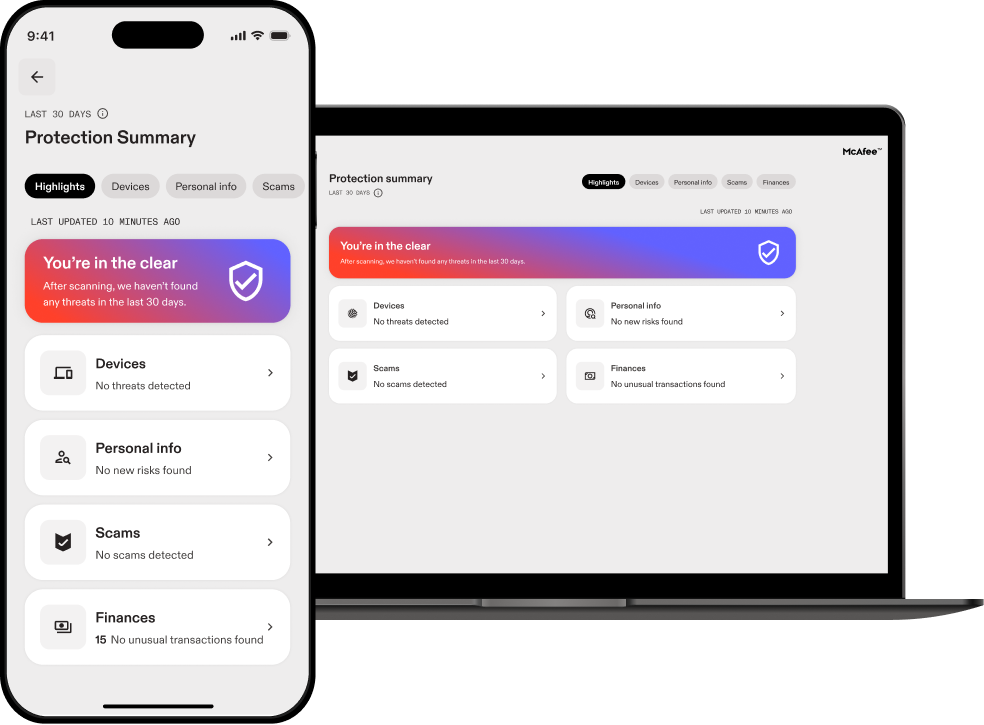
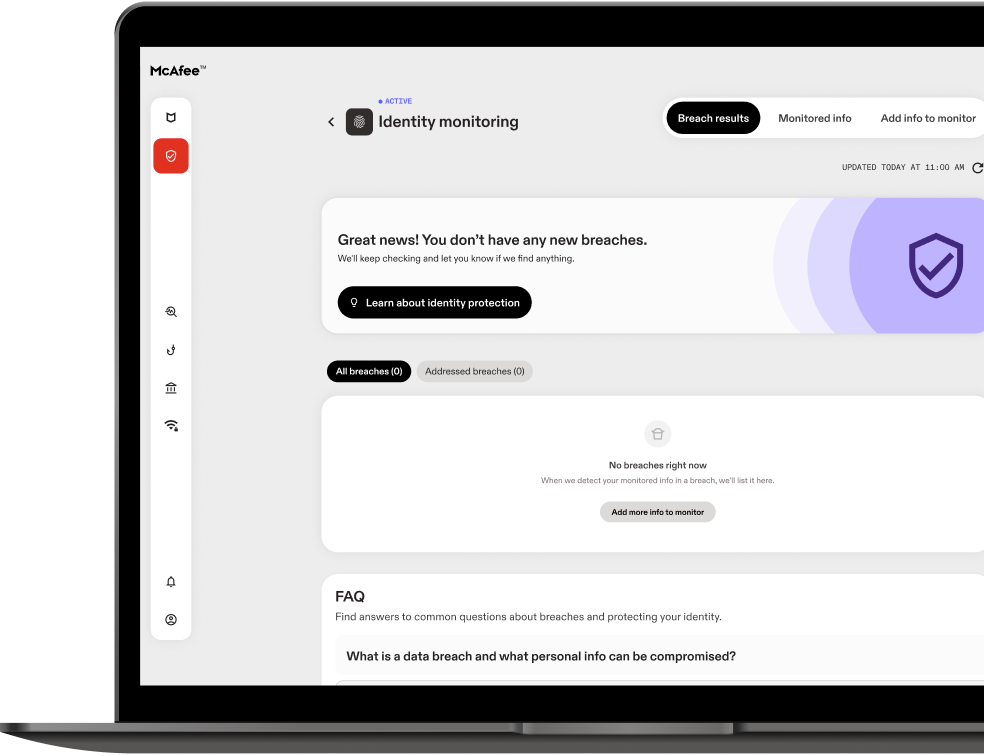
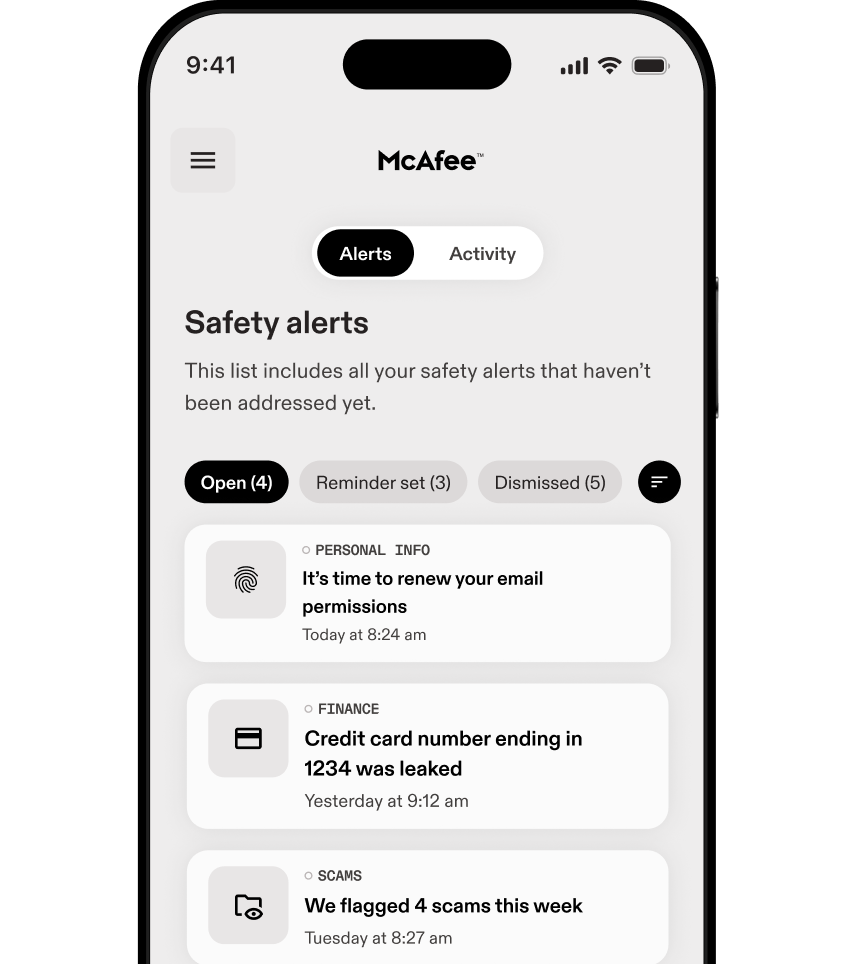
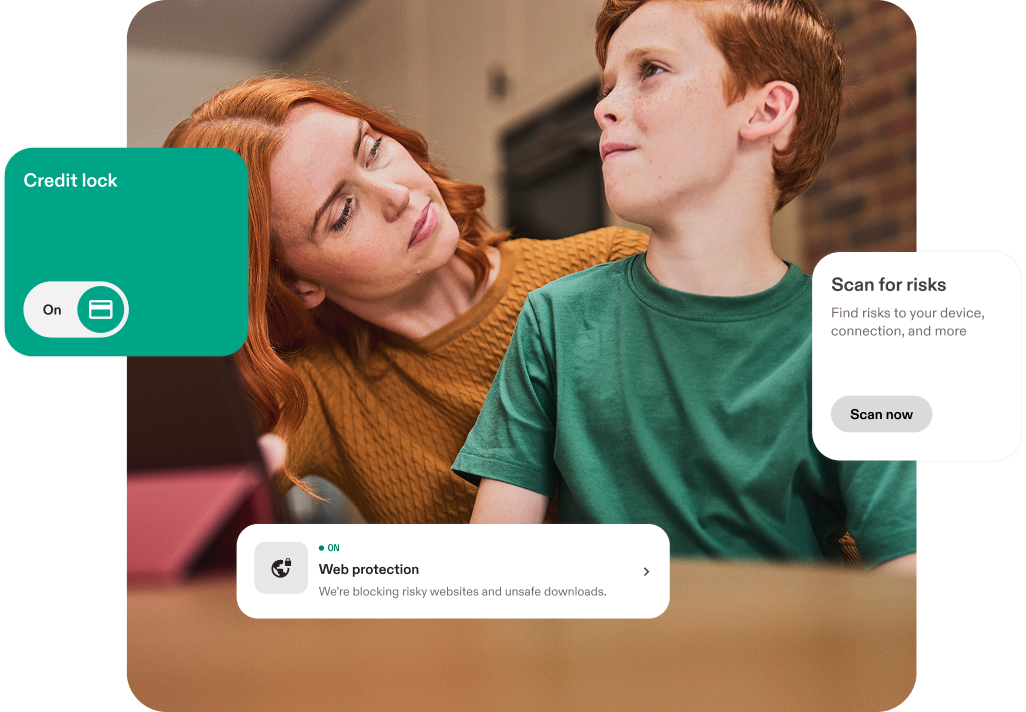
Find out instantly if your email is at risk
Your privacy is at stake: {Breach Count} data breaches detectedYour identity was not exposed in any known data breaches
Results are based on your email {Breach Email}
 Other personal info may still be exposed, including:
- Phone numbers
- Bank accounts
- Credit cards
- SSN
- Addresses
- Passwords
- Exposed data can put you at risk for identity theft and other cybercrimes.
How can McAfee help protect my identity?
McAfee+ plans safeguard your life online with advanced privacy features, 24/7 identity monitoring, alerts, restoration and AI powered security for your devices.

Take control of your privacy online
Personal Data Cleanup regularly scans data broker sites for your personal info, notifies you if it’s found, and, depending on your plan, will send automatic requests to remove it.

Keep an eye on your finances
Help protect your finances with Credit and Transaction Monitoring of your bank account and credit card activity, plus receive alerts to unusual activity.

Maintain a clean slate online
The more online accounts you have open, the more likely it is that one of them may be involved in a data breach. Online Account Cleanup scans to find out which companies have your personal info and provides instructions on how to delete it. With a McAfee+ Ultimate plan, we'll remove it for you.
Frequently asked questions
These answers might help.
At its core, McAfee Total Protection provides our award-winning antivirus to defend against viruses, online threats and ransomware with both cloud-based online and offline protection. Beyond your Windows PCs, McAfee Total Protection provides cross-device protection that extends your peace of mind to your Macs and iOS/Android mobile devices, so you can enjoy security at home and on-the-go across all your compatible devices.
Available when you’re enrolled in auto-renewal**, our secure VPN uses bank-grade AES 256-bit encryption to keep your browsing information and online habits protected at home and on-the-go.
McAfee® WebAdvisor web protection enables you to sidestep attacks before they happen with clear warnings of risky websites, links and files, so you can browse, shop and bank with confidence.
PC Optimization features help your PC go faster while ensuring you still have top-notch security. Web Boost helps rescue both your battery and bandwidth from distracting auto-play videos by automatically pausing them. And with App Boost, apps that you’re actively working on will automatically receive a boost in resources, so you can get the job done faster.
Because much of your online life exists in files on your computer, you can use McAfee® QuickClean™ and Shredder™ to manage your privacy. Use McAfee QuickClean to remove temporary files and cookies to reclaim storage space and minimize exposure. And, when you’re looking to dispose of sensitive files, McAfee Shredder securely deletes files so that would-be thieves can’t put the pieces back together.
Our passwords are the keys to our digital kingdom. Take the guesswork out of creating and remembering complex passwords with our password manager, which can store, auto-fill and even generate unique complex passwords. For added convenience, you can access your shared passwords on your PC and mobile devices with a single account.
Many vulnerabilities on your PC are due to out-of-date apps. With Vulnerability Scanner, you can update Windows and your apps from one place, streamlining Windows and application updates with a single tool that scans and installs critical updates.
Identity Monitoring Service provides a guided identity monitoring experience including dark web monitoring for your email. Get expanded monitoring with auto-renewal turned on.
McAfee’s Virus Protection Pledge that includes our 100% Guarantee: Viruses removed or your money back, available with auto-renewal.* For more information, see here.
For any questions, free customer support is there when you need it, whether by phone, chat or online.
See Less
Setting up family protection is simple. Just enter an email address or mobile phone number for each person you want to invite.
Your family member will get a message to log in along with steps to set up protection for their computers, phones, web browsing, and passwords. They’ll also have their own identity monitoring to receive alerts when their personal data is found on the dark web.
Two adults can also set up credit monitoring, find their personal info on data broker sites to remove it, and clean up personal info from old online accounts.
Each family member will have their own notifications and log in where they can check their Protection Score along with recommended steps to improve their score and overall online safety.
Family plans come with identity theft protection, online privacy, and device security for up to 6 family members (up to 2 adults and 4 children) without having to share logins. Each family member can set up their own identity, privacy, and device protection features in the way that works best for them.
Each family member gets their own, Individual Protection Score, which shows how safe they are, with guidance on how to improve their protection. Plus, parents can help keep their children safe online.
Kids need protection in many of the same ways adults do. They have Social Security Numbers, which if used for identity theft, could affect their credit standings. They also have usernames and email addresses that could be part of a data breach, finding their way to the dark web where criminals can access them.
When online, children (and adults) need to be notified when a website or link is risky and could lead to a phishing site or a malware download. And of course, device protection on their computers and phones can save them from online threats like viruses and hackers.
The account owner can invite members as either an adult or a minor. Minors (and adults) will have access to their own accounts on the McAfee Protection Center. However, minors have access to fewer identity and privacy features than adults.
As a parent, you can choose to set up and manage your child’s account yourself and access the account in the McAfee Protection Center in order to stay on top of your child’s online protection settings, notifications, Protection Score, and recommended steps to improve your child’s online safety.
When you create an online account, your personal data is added to a company's database and can remain there even after you delete the account. An internet user can have hundreds of online accounts, many of which they might not know are still active.
The more companies that have your personal info, the higher the chance one of them will get breached, putting you at risk of identity theft. We'll help you delete these accounts for good so you can take back control of your privacy and even cut down on annoying spam emails.
With your approval, we’ll scan the subject lines in your inbox to see which companies are emailing you and how much of your info they might have. We will only look at the email sender, subject line, timestamp, and the first few words of the email—we will not scan the full body of the email or any attachments.
We’ll then help you decide which accounts you want to keep and which you might want to delete to lower the risk of a data breach.VPN
Online Account Cleanup: Scans helps you find any accounts tied to your email and gives you clear instructions to reclaim your data. Online Account Cleanup: Scans is included in all McAfee+ plans.
Online Account Cleanup: Full-service not only finds your accounts, but lets the experts send the data deletion requests for you with a single click, saving you up to 10 hours or more* of manual work. Online Account Cleanup: Full-service is only included with McAfee+ Ultimate plans.
Frequently asked questions
These answers might help.