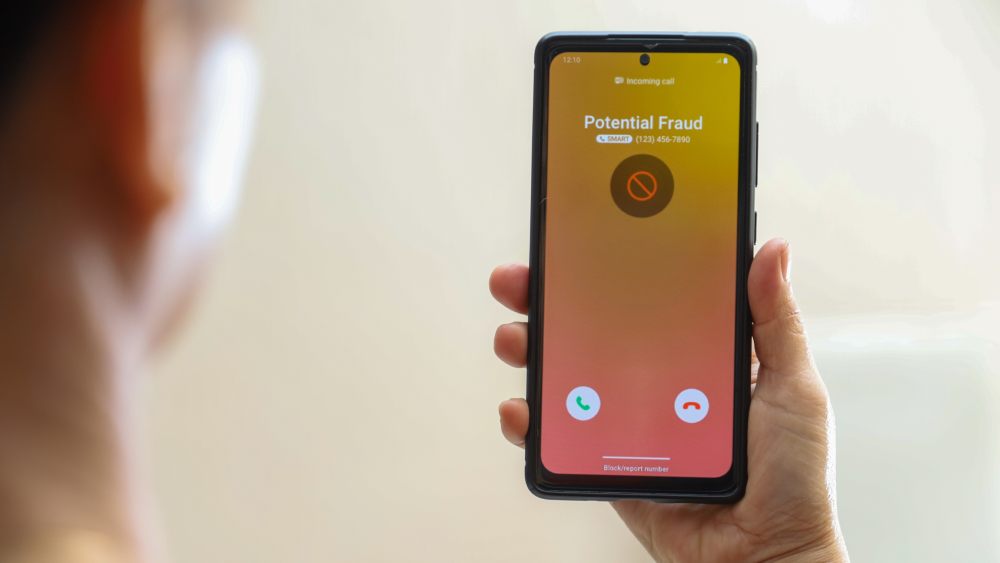


You block a caller, feel a moment of relief, and then the phone rings again. If you’re wondering why you still get spam calls even after blocking numbers, you’re not alone.
Spammers evolve quickly. They rotate phone numbers, spoof caller IDs, and use automated dialers to bypass basic defences, which is why many people see blocked calls still coming through and ask, can blocked numbers call you?
In this guide, we’ll explain what’s happening behind the scenes, share proven steps for how to stop getting spam calls, and help you protect your privacy and finances with confidence.
What Counts as a Spam Call?
Spam calls are unsolicited calls that aim to sell, deceive, or defraud. They include aggressive sales pitches, fake giveaways, tech support scams, and impersonations of banks or government agencies. Some are placed by people, while many are robocalls that play prerecorded messages at scale. Legality often hinges on consent and compliance with regulations, but harmful calls tend to ignore the rules.
The typical scam call red flags: 1) Urgent or threatening language. 2) Pressure to pay right now. 3) Requests for sensitive details like Social Security numbers, bank information, or one-time passcodes.
Robocalls drive much of the volume today. They’re inexpensive, fast, and highly automated. While appointment reminders or pharmacy updates can be helpful and legitimate, scam robocalls promote fake debt collection, prize schemes, or malicious tech support. Their scale is precisely why blocked calls still coming through remains a persistent frustration.
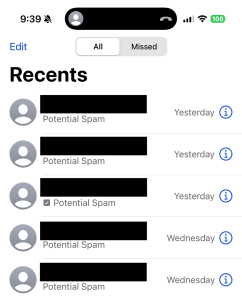
Inbox of spam calls feel familiar?
Why Blocking Numbers Doesn’t Stop Spam
Blocking prevents repeat calls from the same caller ID. Spammers know this and adapt. They rotate through vast pools of numbers, so each attempt looks new. You block one, and the next call arrives from a different number. It’s a cat-and-mouse game that leads many to ask, can blocked numbers call you or why is a blocked number still calling?
Caller ID spoofing amplifies the problem. Spoofing lets scammers display any number they want, including matching your area code or appearing as a trusted organisation. This undermines caller ID and weakens number-based blocking. Some spoofed calls even show familiar names, increasing the chance you’ll answer.
Behind the scenes, spam operations acquire and discard numbers rapidly through VoIP services and disposable lines. Large campaigns can cycle through thousands of numbers daily, which makes manual blocking a limited defense. That’s why you still get spam calls even after blocking numbers and why many people wonder how to stop getting spam calls for good.
Layered Measures to Reduce Spam Calls
A stronger strategy combines smarter tools with practical policies that work together. Here’s how we approach it:
Use call-protection apps: Choose reputable apps that leverage threat intelligence, crowdsourced reports, and machine learning. These tools detect patterns, silence high-risk calls, and warn you before you answer. Many provide enhanced caller ID and category-based filtering to cut down the noise.
Register with the National Do Not Call Registry: Add your number at donotcall.gov to reduce lawful telemarketing. It won’t stop illegal spam calls, but it trims legitimate sales outreach and supports enforcement when violators call.
Use your mobile carrier’s protections: Most phone carriers offer built-in features that help identify and block spam calls, often at no extra cost. When these tools are turned on, your phone may label suspicious calls as “Scam Likely,” warn you before you answer, or automatically block known spam numbers. Some carriers can also verify when a call is coming from a real business, which makes it harder for scammers to fake caller IDs and pretend to be someone they’re not.
Used together, these layers reduce the chance that a blocked number still calling will get through and provide practical answers for how to stop getting spam calls without missing important calls.
Best Practices for Handling Incoming Calls
Build habits that make suspicious calls easier to spot and manage:
Spot potential spam: Be cautious with unknown numbers, urgent demands, and offers that sound too good to be true. Don’t share personal information, one-time passcodes, or payment details. If someone claims to be from your bank, healthcare provider, or a government agency, hang up and call back using a verified number from their official website.
Report spam quickly: File complaints with the Federal Trade Commission (FTC) at reportfraud.ftc.gov and the Federal Communications Commission (FCC) at consumercomplaints.fcc.gov. Include caller ID, time, message content, and any request for data or payment. Many call-protection apps and carriers support in-app reporting, which improves filters for everyone.
Use call screening: Turn on features like Silence Unknown Callers on iOS or Filter Spam Calls on Android. Enable voicemail transcription and consider Do Not Disturb with exceptions for contacts and verified callers. Use screening assistants where available to prompt unknown callers to state their purpose. This reduces interruptions and blocks automated spam.
Stay Safe from Social Engineering
Phone scams often rely on social engineering. Recognising common tactics helps you pause and protect yourself.
Spot voice phishing: Be wary of claims that your account is locked, a payment is overdue, or an immediate verification code is needed. Legitimate organisations do not ask for full Social Security numbers, passwords, or 2FA codes over the phone. If you’re concerned, contact the company through a trusted channel.
Protect personal information: Keep sensitive data private. Don’t share account numbers, PINs, passwords, or security codes in response to an incoming call. Use strong, unique passwords and enable multi-factor authentication. If you receive a verification code you didn’t request, secure your account right away.
If you responded to a spam call: If you disclosed financial details or made a payment, contact your bank or card issuer immediately. Change passwords, enable account alerts, and review recent activity. Report the incident to the FTC and local law enforcement if needed. Consider a credit freeze with the major credit bureaus. If a device may be compromised, run a trusted security app to scan and remove suspicious software.
Quick Comparison of Anti-Spam Call Options
| Option | What It Does | Pros | Limitations |
| Manual Number Blocking | Blocks repeat calls from a specific caller ID | Built into phones; easy to use | Spammers rotate and spoof numbers; limited reach |
| Call-Protection Apps | Uses threat intelligence, AI, and community reports | Detects patterns; warns before you answer; auto-blocks known spam | May filter legitimate calls; requires setup and permissions |
| Carrier Protections | Network-level filtering and caller authentication (STIR/SHAKEN) | Flags spoofed calls early; verified caller indicators | Effectiveness varies by carrier and plan |
| Do Not Call Registry | Limits lawful telemarketing to registered numbers | Reduces legitimate sales calls; supports reporting | Does not stop illegal or scam calls |
| Built-In Call Screening | Silences unknown callers and transcribes voicemail | Minimises interruptions; helps you review safely | May miss important calls from new contacts |
If you’re asking why you still get spam calls even after blocking numbers or seeing a blocked number still calling, this table shows how layered options work together to reduce risks.
Go Beyond Blocking: Remove Your Number From the Dark Web and Data Broker Lists
Blocking spam callers treats the symptom, not the source. One reason spam keeps coming is that your phone number may already be circulating in data broker databases or dark web marketplaces after a breach, app signup, or form fill. Once your number is out there, it gets resold, bundled, and targeted repeatedly.
McAfee Data Cleanup tackles that upstream problem. It helps find where your personal data, including your phone number, appears online and works to remove it from risky sources. Fewer listings mean fewer lists for spammers to buy and fewer campaigns aimed at your number.
How your number ends up being targeted
Data brokers: Many sites legally collect and resell contact details. Spammers buy access and blast calls at scale.
Breaches and leaks: Stolen databases often end up on underground forums, where numbers are traded and reused.
Public profiles and apps: Old accounts, giveaways, and permissions can expose your number without you realising.
What Data Cleanup adds to your defense
Finds exposures: Scans for your number across broker sites and known risk areas.
Removes listings: Submits opt-out and removal requests on your behalf, reducing where your data lives online.
Keeps watch: Monitors for reappearance so your number doesn’t quietly get relisted later.
Think of this as turning down the tap, not just mopping the floor. When fewer databases have your number, spam operations have fewer ways to reach you.
If you’re serious about how to stop getting spam calls, add data cleanup to your toolkit. Reducing your digital footprint won’t eliminate every bad call overnight, but over time, it lowers exposure, cuts repeat targeting, and helps reclaim your phone from constant interruptions.
Blocking Isn’t Protection. Layering Is.
If spam calls feel endless, it’s because blocking numbers was never designed to stop modern scam operations. Today’s callers rotate numbers, spoof trusted IDs, and pull your phone number from massive data ecosystems that don’t disappear when you tap “Block.”
The real fix is layered protection. Call filtering and carrier tools help stop suspicious calls at the door. Screening features reduce interruptions. And addressing the source, by limiting where your number exists online, cuts down the number of campaigns that ever reach you in the first place.
No single tool will end spam calls overnight. But when you combine smart call protections, cautious habits, and proactive data cleanup, the volume drops, the risks shrink, and your phone becomes a lot quieter.
If you’ve been asking why you still get spam calls even after blocking numbers, this is the answer. Blocking is reactive. Protection works best when it’s proactive.
FAQs
|
Q: Why do spam calls look like they’re from my area code? A: Scammers use caller ID spoofing to display local-looking numbers, increasing the chances you’ll answer. Spoofing can mimic legitimate numbers, so don’t rely on caller ID alone. If you’re seeing a blocked number still calling with a local prefix, turn on carrier protections and call screening. |
|
Q: Do call-blocking apps really help? A: Yes. Quality apps combine real-time threat intelligence with community reports and machine learning to spot patterns and flag risky calls. While no tool catches everything, they significantly reduce spam calls and help address why you still get spam calls even after blocking numbers. |
|
Q: Will the Do Not Call Registry stop all spam calls? A: No. It reduces lawful telemarketing but does not stop illegal or scam calls. Registering still helps cut legitimate outreach and supports enforcement against violators, which is an important step in how to stop getting spam calls. |
|
Q: What should I do after receiving a suspicious call? A: Don’t share information. Hang up, verify the caller using a trusted number, and report the incident to the FTC or FCC. If you clicked a link or provided details, secure your accounts and contact your bank or service provider right away. |
|
Q: Can my mobile carrier block spoofed calls? A: Carriers support caller authentication through STIR/SHAKEN, which helps identify and flag spoofed calls. Turn on your carrier’s spam protection features and screening options to reduce the chances of blocked calls still coming through. |

Stay Updated
Follow us to stay updated on all things McAfee and on top of the latest consumer and mobile security threats.