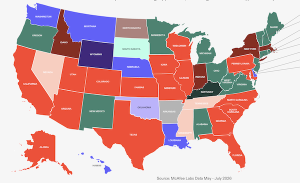


This week in scams, three headlines tell the same story: attackers are getting better at manipulating people, not just breaking into systems. We’re seeing a wave of intrusions tied to social engineering, a major delivery platform confirming a breach amid extortion claims, and a big tech headline that has a lot of people rethinking how apps handle their data.
Every week, this roundup breaks down the scam and cybersecurity stories making news and explains how they actually work, so you can spot risk earlier and avoid getting pulled into someone else’s playbook.
Let’s get into it.
A Wave of Cyberattacks Hits Bumble, Match, Panera, and CrunchBase
The big picture: Several major brands were hit by cybersecurity incidents tied to social engineering tactics like phishing and vishing.
What happened: Bloomberg reported that Bumble, Match Group, Panera Bread, and CrunchBase each confirmed incidents.
Bumble said a contractor account was compromised in a phishing incident, which led to brief unauthorized access to a small portion of its network, and said its member database, accounts, messages, and profiles were not accessed.
Panera said an attacker accessed a software application it used to store data, and said the data involved was contact information.
Match said the incident affected a limited amount of user data, and said it saw no indication that user logins, financial information, or private communications were accessed.
CrunchBase said documents on its corporate network were impacted, and said it contained the incident.
According to Bloomberg, cybersecurity firm Mandiant has also warned about a hacking campaign linked to a group that calls itself ShinyHunters. The group is using vishing, which means scam phone calls, to trick people into giving up their login information. Once attackers get those logins, they can access cloud tools and online work systems that companies use every day. The group has said they are behind some of these recent attacks, but that has not been independently confirmed.
Red flags to watch for:
Calls that pressure you to approve a login, reset credentials, or share a one-time code
Messages posing as IT support, a vendor, or “security” that try to rush you
MFA prompts you did not initiate
“Quick verification” requests that bypass normal internal processes
How this works: Social engineering works because it blends into normal life. A convincing message or call gets someone to do one small “reasonable” thing. Approve a prompt. Read a code. Reset access. That is often all an attacker needs to get inside with legitimate credentials, then pivot into the tools where valuable data lives.
TikTok’s Privacy Policy Update Sparks Backlash
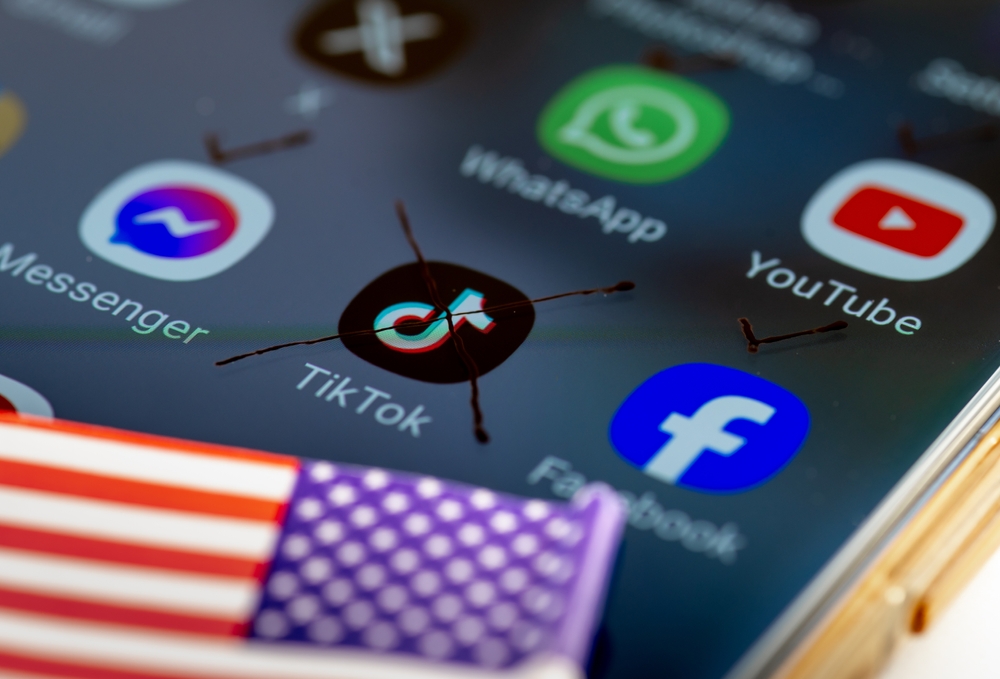
Ok, we know this is called “This Week in Scams” but this is also a cybersecurity newsletter. So when the biggest tech and privacy headline of the week is TikTok updating its privacy policy, we have to talk about it.
The big picture: TikTok’s updated terms and privacy policy are raising fresh questions about what data is collected, especially around location.
What happened: TikTok confirmed last week that a new U.S.-based entity is in control of the app after splitting from ByteDance earlier this year. That same day, CBS reported TikTok published updated terms and a new privacy policy, which prompted backlash on social media.
CBS reported that one major point of concern is language stating TikTok may collect precise location information if users enable location services in device settings. This is reportedly a shift from previous policy language, and TikTok said it plans to give U.S. users a prompt to opt in or opt out when precise location features roll out.
According to CBS, some users are also concerned the new privacy policy would allow the TikTok to more easily share their private data with the federal and local government.
That fear is based on a change in policy language stating that TikTok “processes such sensitive personal information in accordance with applicable law.”
A quick, practical takeaway: This is a good reminder that “privacy policy drama” usually comes down to one thing you can actually control: your app permissions.
What to do (general privacy steps):
Check your phone settings for TikTok and confirm whether location access is Off, While Using, or Always.
If your device supports it, consider turning off precise location for apps that do not truly need it.
Do a quick permission sweep across social apps: location, contacts, photos, microphone, camera, and Bluetooth.
Make sure your account is protected with a strong, unique password and two-factor authentication.
Note: This is not a recommendation about whether to keep or remove any specific app. It’s a reminder that your device settings matter and they are worth revisiting.
Grubhub Confirms a Data Breach Amid Reports of Extortion
The big picture: Even when a company says payment details were not affected, a breach can still create risk because stolen data often gets reused for phishing.
What happened: According to BleepingComputer, Grubhub confirmed unauthorized individuals downloaded data from certain systems and that it investigated, stopped the activity, and is taking steps to strengthen security. Sources told BleepingComputer the company is facing extortion demands tied to stolen data. Grubhub said sensitive information like financial details and order history was not affected, and did not provide more detail on timing or scope.
Red flags to watch for next: Breach headlines are often followed by scam waves. Be on alert for:
“Refund” or “order problem” emails you did not request
Fake customer support messages asking you to verify account details
Password reset prompts you did not initiate
Links to “resolve your account” that don’t come from a known, official domain
How this works: Customer support systems can contain personal details that make scams feel real. Names, emails, and account notes are often enough for attackers to craft messages that sound like legitimate help, especially when the brand is already in the news.

Fake Chrome Extensions Are Quietly Taking Over Accounts
The big picture: Some browser extensions that look like normal workplace tools are actually designed to hijack accounts and lock users out of their own security controls.
What happened: Security researchers told Fox News that they uncovered a campaign involving malicious Google Chrome extensions that impersonate well-known business and human resources platforms, including tools commonly used for payroll, benefits, and workplace access.
Researchers identified several fake extensions that were marketed as productivity or security tools. Once installed, they quietly ran in the background without obvious warning signs. According to Fox News, Google said the extensions have been removed from the Chrome Web Store, but some are still circulating on third-party download sites.
How the scam actually works: Instead of stealing passwords directly, the extensions captured active login sessions. When you sign into a website, your browser stores small files that keep you logged in. If attackers get access to those files, they can enter an account without ever knowing the password.
Some extensions went a step further by interfering with security settings. Victims were unable to change passwords, review login history, or reach account controls. That made it harder to detect the intrusion and even harder to recover access once something felt off.
Why this matters: This kind of attack removes the safety net people rely on when accounts are compromised. Password resets and two-factor authentication only help if you can reach them. By cutting off access to those tools, attackers can maintain control longer and move through connected systems with less resistance.
What to watch for:
Browser extensions you don’t remember installing
Add-ons claiming to manage HR, payroll, or internal business access
Missing or inaccessible security settings on accounts
Being logged into accounts you did not recently open
A quick safety check: Take a few minutes to review your browser extensions. Remove anything unfamiliar or unnecessary, especially tools tied to work platforms. Extensions have deep access to your browser, which means they deserve the same scrutiny as any other software you install.
McAfee’s Safety Tips for This Week
Be skeptical of “helpful” tools. Browser extensions, workplace add-ons, and productivity tools can have deep access to your accounts. Only install what you truly need and remove anything unfamiliar.
Treat calls and prompts with caution. Unexpected login requests, MFA approvals, or “IT support” outreach are common entry points for social engineering. If you didn’t initiate it, pause and verify.
Review app and browser permissions. Take a few minutes to check what apps and extensions can access your location, accounts, and data. Small changes here can significantly reduce risk.
Protect your logins first. Use strong, unique passwords and enable two-factor authentication on email and work-related accounts. If attackers get your email, they can reset almost everything else. McAfee’s Password Manager can help you create and store unique passwords for all of your accounts.
Expect follow-up scams after headlines. When breaches or policy changes make the news, scammers often follow with phishing messages that reference them. Extra skepticism in the days and weeks after a story breaks can prevent bigger problems later.

Stay Updated
Follow us to stay updated on all things McAfee and on top of the latest consumer and mobile security threats.