

Cybersecurity used to be easier to picture. It was antivirus software protecting the family computer. A suspicious email you knew not to open. A password you were reminded to make a little harder to guess.
Today, our digital lives don’t fit neatly inside a computer. And neither do the risks.
A scam text can follow you into a purchase. Personal information scattered online can fuel unwanted calls and messages. An account you haven’t thought about in 10 years can still hold information about you. And every ordinary interaction, from following a delivery link to shopping at a new store, can require a moment of calculation: Is this real? Is this safe?
McAfee’s latest research shows how much work that’s becoming. Nearly three-quarters of Americans (74%) say they feel the need to double-check most things online before trusting them, while 62% say figuring out what’s real takes more mental energy than it did a year ago.
That’s why this Cybersecurity Awareness Month, we’re thinking about cybersecurity a little differently.

What is Cybersecurity Awareness Month?
Every October, Cybersecurity Awareness Month encourages people and organizations to build better habits for staying safe online.
For 2026, the Cybersecurity and Infrastructure Security Agency (CISA) is marking the month with the theme “Securing the Next 250.“ CISA points to technologies such as artificial intelligence that are accelerating how quickly attackers can identify and take advantage of weaknesses in computer systems.
For individuals and families, CISA recommends four basic actions:
- Avoid and report phishing scams.
- Use strong passwords.
- Use multifactor authentication and a password manager.
- Keep software updated.
They’re good fundamentals. Use unique passwords and multifactor authentication when they’re available. Install security updates instead of putting them off indefinitely. And treat unexpected requests for money or information with caution.
But good cybersecurity today also means looking beyond the traditional security checklist.
McAfee’s Cybersecurity Awareness Month Tips: 4 Quick Fixes
1. Make yourself harder for scammers to find
If your phone constantly rings with unknown callers or your inbox is overflowing with unwanted messages, consider looking at how much information about you is available online.
Your name, phone number, email address, home address, and other personal details can appear on data broker and people-search sites. That information can contribute to the pool of data available to marketers, and potentially provide useful ingredients for scammers trying to make a message more convincing.
You can’t make yourself invisible online. But you can reduce unnecessary exposure.
Personal Data Cleanup scans data broker sites for your personal information and can help with its removal, depending on your plan. Think of it as reducing some of the information about you that’s unnecessarily floating around online.
It’s a useful shift in mindset: don’t just get better at dealing with unwanted contact. Look for opportunities to reduce your exposure in the first place.
2. Close the accounts you forgot you had
Remember Myspace?
What about that Tumblr you haven’t touched in a decade? The shopping site you ordered from once? An old forum account? Or one of the dozens of apps and services you tried, abandoned, and promptly forgot existed?
Our digital footprints are full of these little leftovers.
And your digital footprint isn’t only what you post publicly. It’s also the accounts you’ve created and the companies you’ve entrusted with pieces of your information over the years.
An abandoned account may still contain an email address, old login information, purchase history, personal details, or other data. If a service you no longer use experiences a breach someday, that’s one more place where information associated with you could potentially be exposed.
A good, simple rule: If you don’t use it and don’t need it, consider deleting it.
McAfee’s Online Account Cleanup can help find accounts associated with your email and help you identify ones you may want to remove. We’ve also updated the experience to help prioritize higher-risk accounts, so you can focus your attention where it matters.
This Cybersecurity Awareness Month, see how many pieces of your old internet life you can finally retire.
3. Keep your public browsing safe
Airport Wi-Fi. Hotel Wi-Fi. Coffee-shop Wi-Fi.
Using a network you don’t control doesn’t need to become a cybersecurity event every time you leave the house.
A VPN, or virtual private network, encrypts the internet traffic traveling between your device and the VPN service. That adds privacy to your connection, particularly when you’re using unfamiliar or unsecured networks.
The important part isn’t remembering to become extra vigilant every time you sit down at a coffee shop. It’s making protection easier to use consistently.
With Secure VPN, you can add protection to your internet connection when you’re away from networks you know and trust.
That’s the kind of cybersecurity we like: something working quietly in the background while you get on with whatever you actually opened your laptop to do.
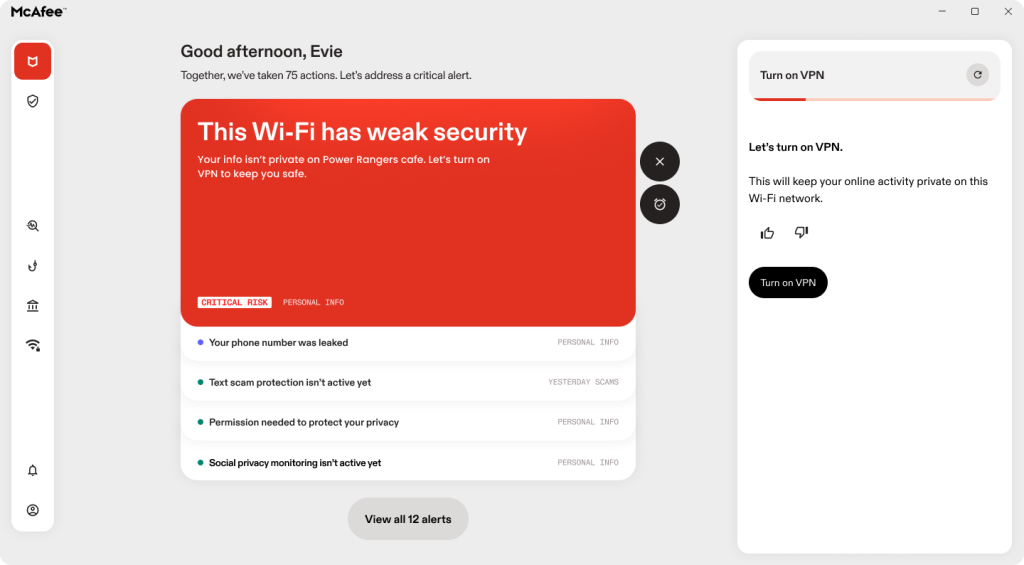
McAfee will let let you know if you have weak internet security.
4. Check the destination before you trust the invitation
Think about how many times a day something online asks you to go somewhere else.
A text sends you to track a package. An email asks you to sign in. A search result takes you to a new website. An ad introduces you to a store you’ve never heard of.
Scammers rely on those transitions.
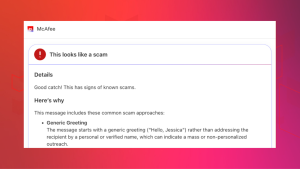
McAfee Labs’ 2026 analysis of text scams found schemes impersonating or referencing everything from deliveries and bank accounts to jobs, tolls, shopping, subscriptions, investments, and utilities. Many are designed to get the recipient to click, respond, or move the conversation somewhere else.
You can inspect every URL yourself. But that puts the work right back on you.
McAfee’s Scam Detector can help warn you about risky websites and links before an everyday click becomes a bigger problem.
It’s a small example of a larger principle at McAfee: You shouldn’t have to be the cybersecurity expert. That’s our job.
While You’re At It: Give Your Browser a 5-Minute Cleanup
If you have another five minutes this Cybersecurity Awareness Month, open your browser settings.
Start with your extensions.
Browser extensions can be genuinely useful, but some require significant permissions to function. If you have extensions you don’t recognize or haven’t used in years, remove them. The fewer unnecessary tools you give access to your browsing, the fewer things you’re relying on to behave responsibly.
Next, check which websites have permission to send you notifications. Remove ones you don’t recognize or no longer want. Unwanted browser notifications can sometimes imitate security alerts or use other alarming messages to get your attention.
Finally, check for browser updates, or simply turn on automatic updates if your browser supports them.
You don’t have to become an expert on browser security. You’re just cleaning out things you no longer need.
A New McAfee Experience To Do More of The Work For You
This Cybersecurity Awareness Month also comes just as we’re rolling out an updated McAfee experience.
The idea behind it connects directly to what our research is telling us.
Seventy-four percent of Americans feel the need to double-check most things online before trusting them. Sixty-two percent say deciding what’s real takes more mental energy than it did a year ago.
Good protection shouldn’t add another set of things to check.
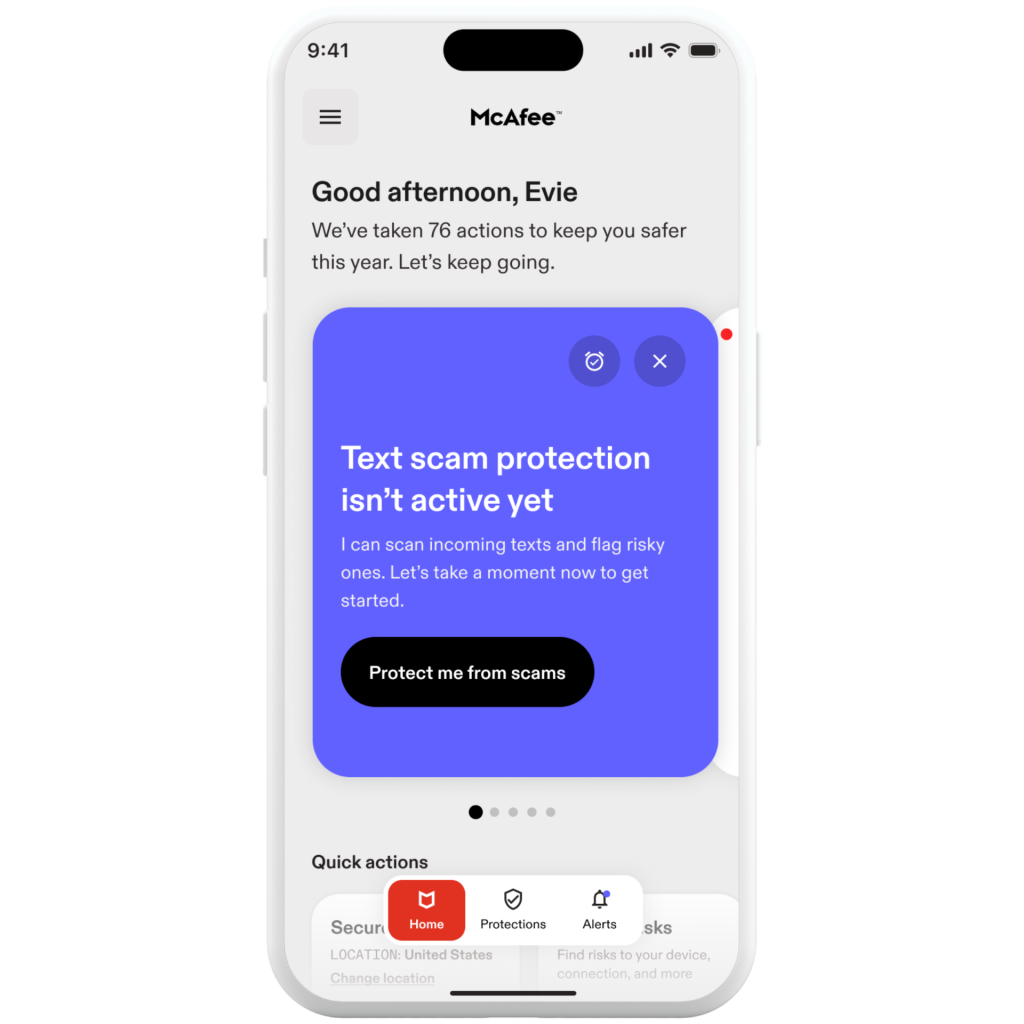
The new McAfee experience brings protection for personal information, connections, and devices into one connected experience across PC, Mac, mobile, and tablet. It’s designed to make it easier to understand what’s protected, what needs your attention, and what McAfee can help handle. That can mean alerting you to suspicious messages and links, helping identify risky websites, monitoring for exposed personal information, protecting your connection, finding forgotten accounts, or helping remove personal information from data broker sites.
We’ve also updated tools including Online Account Cleanup to help people prioritize higher-risk accounts and Personal Data Cleanup to make it easier to understand what personal information is being found and removed on their behalf.
The philosophy behind those changes is simple: Good protection shouldn’t create another job for you.
One Key Takeaway
Our digital lives are simply our lives now.
We shop, date, bank, work, travel, talk to family, look for jobs, manage our health, and discover new things online. And the risks can move just as easily between those digital and physical worlds.
So this Cybersecurity Awareness Month, don’t worry about becoming a cybersecurity expert.
Reduce what you expose. Close what you don’t use. Protect the connections you rely on. And let technology help you decide what’s safe.
Stay Updated
Follow us to stay updated on all things McAfee and on top of the latest consumer and mobile security threats.