

Graduating should feel like a fresh start, a time when the whole world is at your fingertips.
Unfortunately, scammers often see graduates and think “student loans.” Or more specifically “student loan scams.”
As student loan payments resume or repayment plans shift, scammers move in fast; posing as loan servicers, promising forgiveness, or offering to “simplify” your loans for a fee.
The tricky part? These messages often look real.
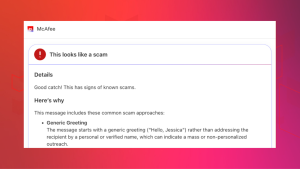
That’s where tools like McAfee’s Scam Detector come in. It flags suspicious emails, texts, links, and even deepfake-style messages, helping you spot what’s real before you click, respond, or pay.
Here’s how to spot these scams and stay safe with McAfee:

What Is a Student Loan Consolidation Scam?
Student loan consolidation itself is a legitimate option. It allows you to combine multiple federal loans into one, often to simplify payments.
Scammers exploit that confusion.
Instead of helping, they pose as government partners or “relief experts” and charge you for services you can do yourself…for free.
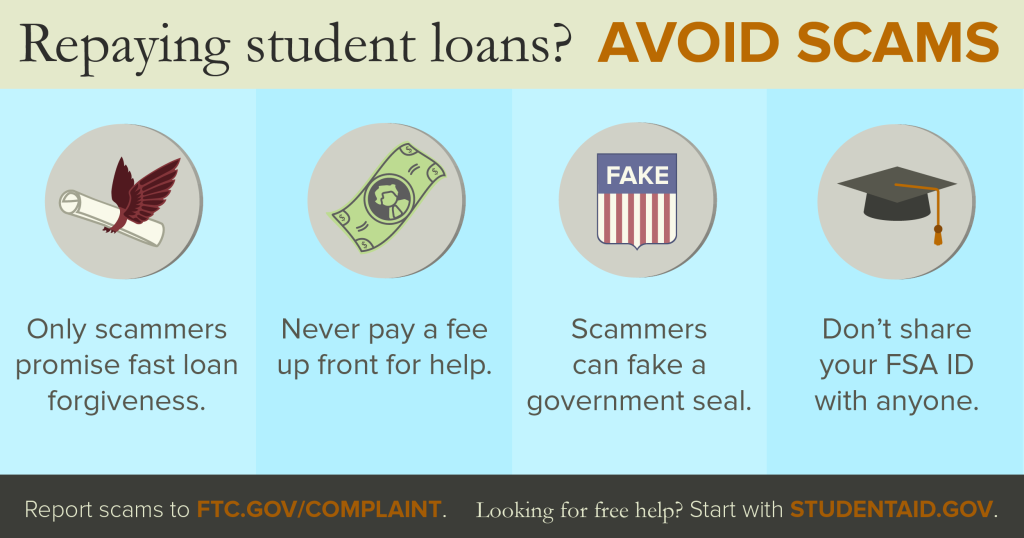
According to Federal Student Aid, you never have to pay for help managing or consolidating your federal student loans.
That’s the baseline truth most scams try to blur.
How These Scams Actually Work
| Step | What Happens | Red Flags | What Scammers Want |
| 1. The Outreach | You get an email, text, or call about “loan consolidation” or “forgiveness” | Urgent tone, unfamiliar sender, “final notice” language | Your attention and quick reaction |
| 2. The Hook | They claim you qualify for a special program or limited-time offer | “Act now,” “guaranteed forgiveness,” or “new law” claims | Your trust |
| 3. The Ask | They request payment or personal info | Upfront fees, requests for FSA ID or bank info | Money + account access |
| 4. The Control | They may ask for authorization to manage your loans | Power of attorney forms, account takeover steps | Full control of your loan account |
Luckily, for McAfee+ Advanced users, they have access to Scam Detector which alerts users to suspicious emails, messages, links, and deepfakes that are often employed by scammers in these student loan fraud scenarios.
The Most Common Lies to Watch For
Scammers tend to recycle the same scripts. Federal Student Aid warns about messages like:
- “Act immediately to qualify for student loan forgiveness before the program is discontinued.”
- “You’re eligible for total loan discharge. Call now.”
- “Your loans are flagged for forgiveness pending verification.”
These messages are designed to create urgency, not clarity.
And importantly, they are not coming from the U.S. Department of Education or its partners.
Where McAfee’s Scam Detector Comes In
This is exactly the kind of gray-area messaging that trips people up.
McAfee’s Scam Detector helps cut through that by:
- Flagging suspicious loan-related messages before you engage
- Identifying risky links in emails or texts
- Highlighting signs of impersonation or manipulation
- Helping you understand why something looks off
Instead of relying on gut instinct alone, you get a second layer of analysis, right in the moment decisions happen.
The Biggest Red Flags (Don’t Ignore These)
Federal Student Aid highlights a few consistent warning signs, and they’re worth memorizing:
1. They Charge You for “Help”
If a company asks for upfront or monthly fees to consolidate or manage your loans, that’s a major red flag.
Free help is always available through your official loan servicer.
2. They Promise Immediate Forgiveness
No legitimate program guarantees instant or total loan forgiveness.
Most real programs require years of qualifying payments or specific eligibility criteria.
3. They Ask for Your FSA ID
This is a hard line.
Your FSA ID is legally equivalent to your signature—and no legitimate organization will ask for your password.
4. They Pressure You to Act Fast
Urgency is a tactic, not a requirement.
Scammers often claim deadlines tied to “new laws” or expiring programs to push quick decisions.
5. They Want Control of Your Account
Requests for power of attorney or third-party authorization can allow scammers to:
- Change your account details
- Redirect communications
- Make decisions without your knowledge
How to Protect Yourself Without Overthinking It
You don’t need to become a cybersecurity expert. Just follow a few grounded rules:
- Go directly to official sources: Always use StudentAid.gov—not links sent to you
- Don’t pay for what’s free: Loan consolidation and repayment help are available at no cost
- Pause before clicking or responding: Most scams rely on speed
- Use tools that flag risk for you: Scam Detector adds a layer of protection when things look legitimate, but aren’t
What to Do If You Think You Fell for a Student Loan Scam
Act quickly to limit damage:
- Contact your loan servicer and revoke any third-party access
- Call your bank or credit card company to stop payments
- Change your FSA ID password immediately
- Report the incident to the Federal Trade Commission here
Federal Student Aid also recommends reviewing your account activity and confirming no unauthorized changes were made.
The Bottom Line
Student loan consolidation scams don’t look like scams anymore.
They look like helpful emails. Official notices. Last chances.
That’s why protection today isn’t just about knowing the rules, it’s about having backup when something feels off.
With McAfee, you’re not left guessing. You can spot suspicious messages, understand the risks, and move forward with confidence, without handing your time, money, or identity to someone who doesn’t deserve it.
Because starting your post-grad life shouldn’t come with a scam attached.
Stay Updated
Follow us to stay updated on all things McAfee and on top of the latest consumer and mobile security threats.