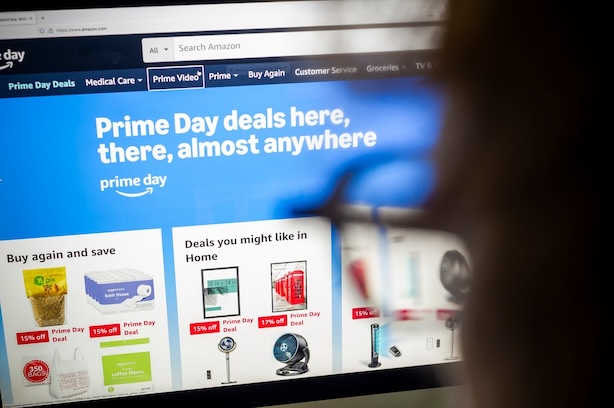


Amazon Prime Day is one of the biggest online shopping events of the year, and scammers know it.
Every year, cybercriminals take advantage of the rush to find deals by creating fake Amazon websites, sending delivery scam texts, impersonating customer support agents, and using AI-generated content to make scams look more convincing than ever.
New McAfee research suggests shoppers may be especially vulnerable this year. A whopping 40% of consumers say they would trust a lower-priced deal without verifying it first, while 29% admit they would skip researching a seller if the price looked good enough.
That combination of urgency, discounts, and increasingly sophisticated scams creates the perfect environment for fraud.
“Anyone who has ever fallen for a scam thought they would recognize one first,” McAfee’s Head of Threat Research Abhishek Karnik reminds shoppers.
“That confidence is part of what scammers count on,” he says. “Tools like McAfee exist precisely for those moments, flagging suspicious links, messages, and offers before a split-second decision becomes a costly one.”

Here are the most common Amazon Prime Day scams to watch for in 2026 and the warning signs that can help you avoid them.
| Scam Type | How It Works | Red Flags |
| Fake shopping websites | Fraudulent websites mimic real retailers and disappear after collecting payments | Prices far below competitors, little company information, newly created websites |
| Fake social media ads | Ads promote products that never arrive or are counterfeit | Too-good-to-be-true discounts, limited reviews, unfamiliar brands |
| Delivery notification scams | Fake package alerts claim there is an issue with your shipment | Unexpected texts, suspicious links, requests for payment |
| Retailer impersonation scams | Messages claim there is a problem with your account or order | Urgent language, login requests, unfamiliar sender addresses |
| QR code scams | QR codes redirect shoppers to fraudulent websites | Codes placed on flyers, posters, packages, or public locations |
| Brushing scams | Unsolicited packages arrive at your home | Items you never ordered, requests to scan codes or leave reviews |
| Fake recall scams | Messages claim a recent purchase has been recalled | Requests for payment, account credentials, or personal information |
Here are examples of Amazon-relategd scam texts our team came across near Prime day last year:
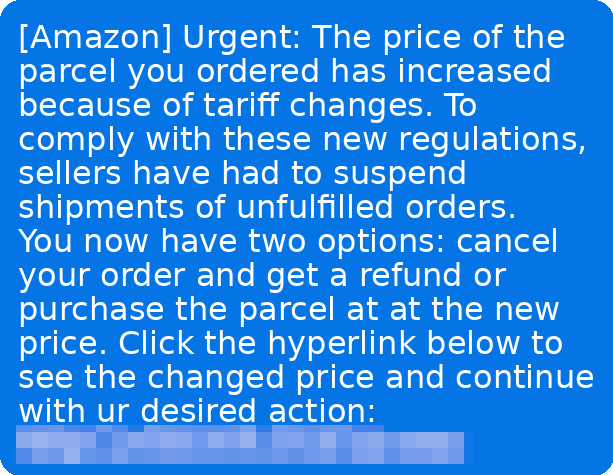
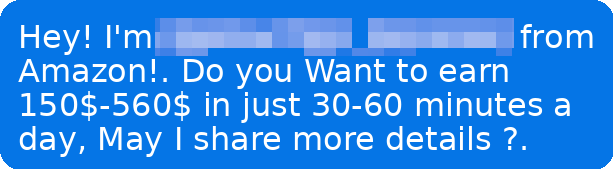
Figure 1. Examples of Amazon tariff and job scams
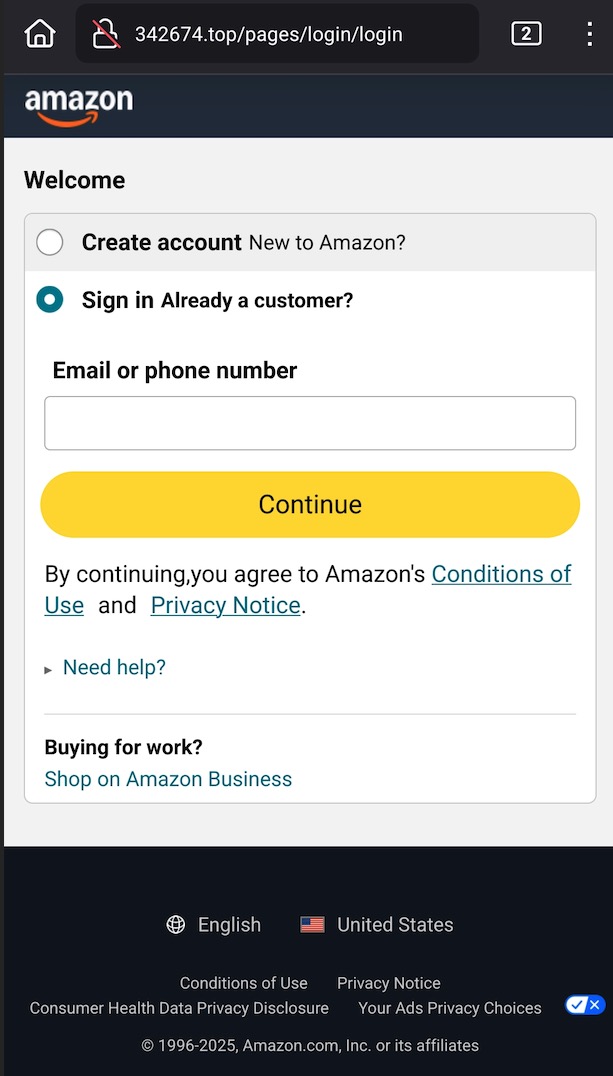
Figure 2. An example of a fake Amazon sign-in page.
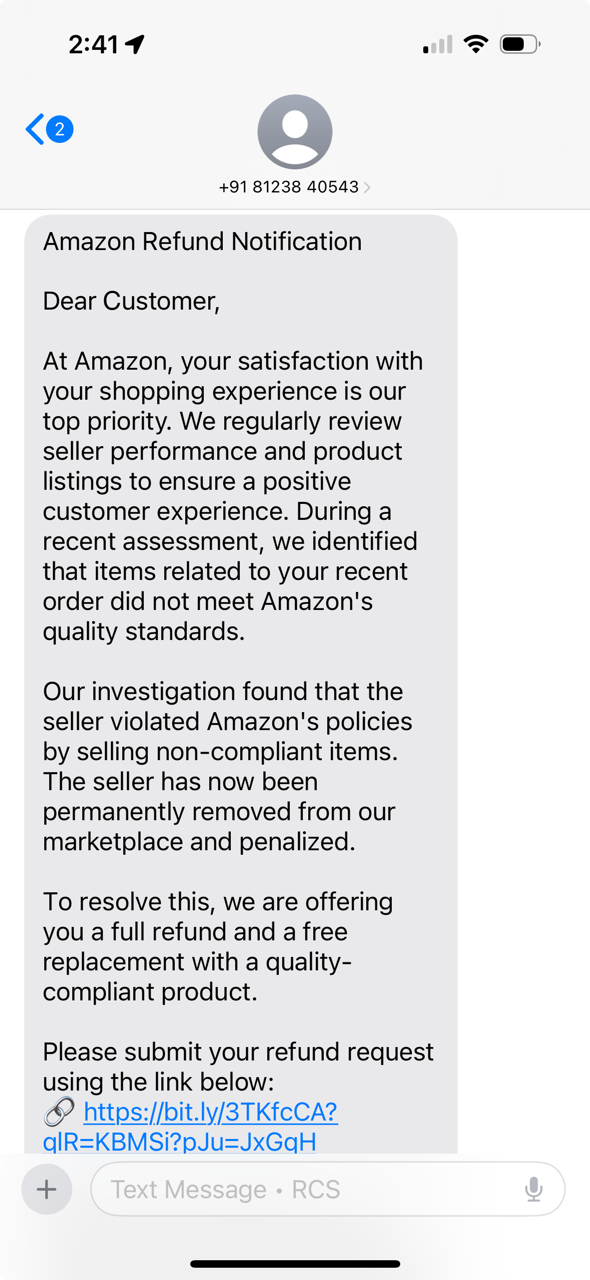
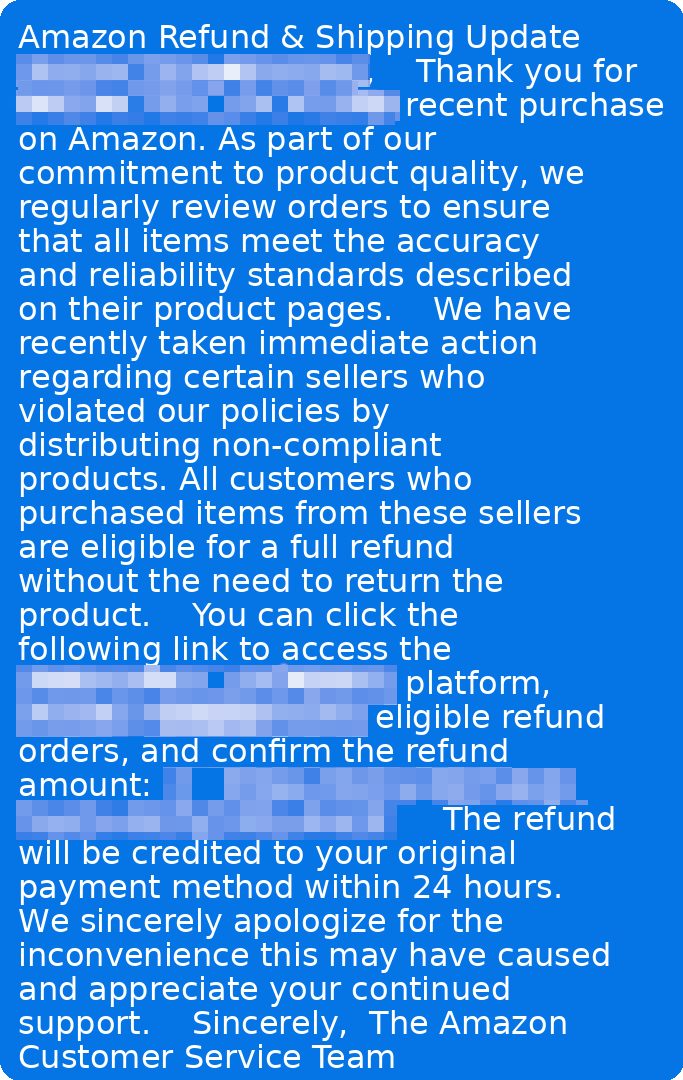
Figure 3. Examples of Amazon phishing scams
Why Prime Day Scams Work
Major shopping events create the exact conditions scammers rely on: urgency, distraction, and the promise of savings.
- 82% of consumers prioritize finding the cheapest deal when shopping online
- 55% spend more time hunting for discounts
- 40% would trust a lower-priced deal without verifying it
- 29% would skip researching a seller if the deal looked especially good
- 23% feel pressure to act quickly before a deal disappears
“What the data reflects is that economic pressure has effectively done some of the scammer’s work for them,” says Abhishek Karnik, Head of Threat Research at McAfee. “When consumers are already primed to move quickly and prioritize price over authenticity, it takes far less effort to push them toward a bad click or a fraudulent purchase.”
How to Protect Yourself This Prime Day
The good news? These scams are preventable if you know what to watch for and take the right precautions. Here’s your defense playbook:
Verify Before You Trust
- Amazon will never call you about suspicious account activity or unauthorized purchases
- Always log into your Amazon account directly through amazon.com to check for real issues
- Use Amazon’s Message Center – all legitimate communications from Amazon appear there
- Never give personal information, passwords, or payment details over the phone
Watch for Red Flags
- Urgent language demanding immediate action (“Your account will be closed in 24 hours!”)
- Requests for payment via gift cards, wire transfers, or cash
- Claims that you need to “verify” or “legalize” your money
- Transfers to “government agencies” during the same call
- Pressure to keep the call secret or not hang up
How to Protect Your Shopping Experience
- Enable two-factor authentication on your Amazon account
- Use strong, unique passwords or passkeys for your shopping accounts, McAfee offers password manager for this reason
- Only shop on secure websites (look for “https://” and the padlock icon)
- Monitor your bank and credit card statements regularly
- Never click links in suspicious emails – go directly to the retailer’s website instead.
- Use reputable online protection, such as McAfee Premium Plus to keep you safer from online shopping scams
- Trust your gut – if it feels too urgent or too good to be true, it probably is
Together, these protections are designed to address the broader range of online risks people face every day.
Plus, click here to get McAfee’s limited-time deals on real-time protection this Amazon Prime Day, from June 23 to June 26.
Stay Updated
Follow us to stay updated on all things McAfee and on top of the latest consumer and mobile security threats.