

A simple click of a link can’t cause any trouble, right? Wrong.
It doesn’t matter if you quickly close out of a window. It doesn’t matter if you only take a quick peek and don’t touch anything else while you’re on a risky webpage. Often, just clicking on a single link can compromise your device, online privacy, and even your personal information. The mere action of clicking a suspicious link could expose you to malware, scams, or identity theft.
Here’s everything you need to know to recognize, steer clear of, and take the proper action in case you accidentally click on a questionable link.
Consequences of clicking on a risky link
A risky link is any hyperlink that redirects you to an unexpected and possibly compromised webpage. Often, these webpages trick visitors into divulging personal information or automatically download malicious payloads (viruses, malware, spyware, etc.) onto your device.
Email remains the most frequent delivery method, with phishing messages designed to look like urgent notifications from trusted companies. A variation of this is SMS phishing or “smishing,” where attackers send sketchy links through text messages claiming package delivery issues. Another common method involves sending malicious links via direct messages on social media, where compromised accounts target their contact lists. According to the Federal Trade Commission (FTC), $70 million was lost to phishing and spoofing in 2024.
Hackers could also use your browser to deliver their criminal work. In drive-by downloads, for instance, simply visiting a compromised webpage can automatically install malware on your device without any additional action from you. Outdated browsers and plugins are another entry point for cybercriminals to gain unauthorized access to your system.
A bad link might also direct you to a fake login page that looks identical to a legitimate site, such as your bank. Any information you enter on these fraudulent pages goes directly to scammers, who can then access your real accounts.
Meanwhile, mobile malware is a vast category of malicious software that often makes its way onto devices through infected links. Malware can spy on you, monitor your keystrokes, infect your device with a botnet, and ultimately compromise your device and the information it stores.
Risk factors as entry points
As threat actors continuously adapt their tactics to circumvent security solutions, one critical factor that determines your risk level is your device’s security posture. A device with updated software, a modern browser, active antivirus protection, and restricted permissions is far less likely to be compromised by a malicious site or download. Conversely, outdated systems, unpatched vulnerabilities, or disabled security features create easy openings for attackers to exploit.
Another risk factor is the rhythm or pace at which you operate your devices. As artificial intelligence tools are increasingly helping scammers and phishers disguise their malicious links to look more believable, you will need to slow down, control the impulse to click, and take a minute to intentionally look at what you are doing. If you read quickly, you could accidentally click a malicious link and fall for a scam.
Check before you click
Even the most convincing messages can hide dangerous links. Before you click on anything, it’s worth taking a few seconds to verify where that link actually leads. These quick checks can help you spot red flags and avoid landing on malicious or fraudulent websites designed to steal your information.
- Be skeptical: It seems pessimistic, but reserve a bit of skepticism for every incredible deal, unbelievable discount, or free download you encounter online. Just because an email advertises on Facebook doesn’t mean it’s a legitimate organization. Its real business might not be selling t-shirts but phishing for personal information. Scammers often hide their malicious links behind clickbait.
- Look before you click: On your desktop, hover over any link to see the destination URL appear at the bottom of your browser window or in a tooltip. On mobile, press and hold your finger over the link for a few seconds to preview where it leads. Look for misspellings in domain names, suspicious characters, or URLs that don’t match what you’d expect from the sender.
- Pay attention to prompts: When a website requests your approval to download files, access your camera, or run scripts, pay careful attention. Legitimate sites rarely need extensive permissions for basic browsing, so unusual permission requests should raise immediate red flags.
- Verify website security indicators: Check that the site uses HTTPS, viewable through a lock icon in your browser’s address bar. Be especially cautious with shortened links such as bit.ly or tinyurl.com. Expand them first using preview tools or browser extensions that show the full destination before clicking.
- Use URL inspection tools: When you’re unsure about a link, copy and paste it into reputable URL checking services that scan for malicious content. Many browsers have built-in safe browsing warnings that alert you to potentially dangerous sites.
- Analyze the context and sender: Consider the sender and whether the message feels urgent or too good to be true. Scammers often create artificial urgency with phrases such as “act now” or “limited time.” If the sender is someone you know, verify through a different channel that they actually sent it.
- For sensitive activities, go directly to official sites: Open a new browser tab and type the website address yourself to avoid convincing-looking fake sites designed to steal your credentials. Never click links in emails or messages for banking, shopping, or other sensitive activities.
- Trust your instincts: If something feels off about a message or a link, take a moment to think and investigate. A few seconds of caution can prevent hours of cleanup and millions of dollars in recovery.
So you clicked. What next?
If you’ve accidentally clicked a phishing link, don’t panic, but do act fast. Quick, calm steps can make all the difference in preventing further damage. Here’s what to do right away to secure your device, accounts, and personal information.
- Disconnect from the internet immediately: If you’re on Wi-Fi, turn off your wireless connection or unplug your ethernet cable. This prevents malicious software from communicating with remote servers or downloading cyber threats onto your device.
- Do not enter any personal information: If the bad link directed you to a login page or form requesting credentials, close the browser tab immediately. Never input passwords, Social Security numbers, banking details, or other sensitive data on pages you’ve reached through suspicious links.
- Run a comprehensive security scan: Perform a full system scan using your antivirus software to detect and remove any malware that may have been downloaded when you clicked the link. Allow the scan to complete entirely, even if it takes several hours.
- Change your passwords immediately: From another uncompromised device, revise your login credentials. Start with your most critical accounts, email, banking, and financial services, followed by social media, work accounts, and shopping sites. Use strong, unique passwords for each account to prevent credential stuffing attacks.
- Enable multi-factor authentication (MFA): Strengthen the security of your accounts by enabling MFA wherever possible to reduce the risk of unauthorized access, even if criminals have obtained your login credentials through a phishing attempt.
- Review your account activity: Check recent login attempts, transaction histories, and account settings across all your important accounts. Look for unauthorized changes, unfamiliar devices, or suspicious activity that occurred around the time you clicked the link.
- Review and revoke access for suspicious apps: Review and remove any unfamiliar applications or browser extensions that have access to your accounts. Phishing attacks sometimes attempt to install malicious browser extensions or authorize fraudulent apps.
- Clear your browser data: Delete your browsing history, cookies, and cached files to remove any potentially malicious code or tracking cookies that could compromise your future browsing sessions.
- Report the phishing attempt: Forward suspicious emails to your email provider’s spam team and report the incident to the FTC. If you received the link via text, report it to your mobile carrier. These steps protect others from falling victim to the scheme.
- Consider credit monitoring and identity protection: If you suspect your personally identifiable information was compromised, place a fraud alert on your credit reports and consider freezing your credit. Monitor your financial statements closely for unauthorized transactions and unusual activity in the weeks following the incident.
Get support from the right tools
Even with your strong digital habits and awareness, it’s easy for something to slip through the cracks. With the right technology that catches potential threats before they reach you, you can browse, message, and shop online without worry.
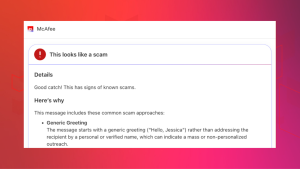
McAfee’s Scam Detector proactively alerts you and automatically protects you the moment it detects a scam link in your texts, emails, or on social media. If you accidentally click on a scam link, the app will block the malicious webpage from loading. The more you use this artificial intelligence-powered tool, the smarter it becomes.
Final thoughts
Protecting yourself from those risky phishing links doesn’t require becoming a security expert. It only takes simple habits to dramatically reduce these threats. Take a moment to be intentional and alert, and make informed choices about the links you encounter.
By taking time to verify URLs, staying reasonably skeptical, enabling automatic updates, trusting your instincts, and relying on trusted security tools for safe browsing and scam detection, you can create powerful barriers against cybercriminals.
Whether you’re browsing social media, checking emails, or exploring new websites, that brief pause to assess whether a link looks legitimate can be the difference between safety and falling victim to sketchy links and credential theft. Share these simple safety practices with your family members, especially those who might be less familiar with online threats, because collective awareness makes everyone safer.

Stay Updated
Follow us to stay updated on all things McAfee and on top of the latest consumer and mobile security threats.